How to disable auto-refresh
Last updated: February 9, 2026
How to disable auto-refresh:
Open Google Sheets
Click on Extensions -> LiveFlow
Go to Manage Reports in the sidebar
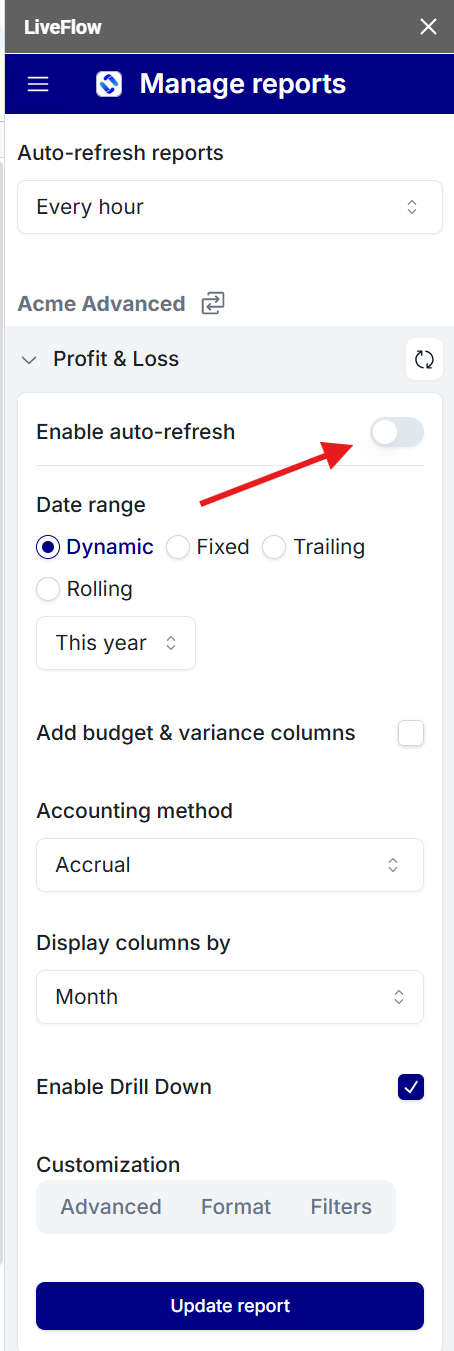
Turn off Enable auto-refresh
Done!
Last updated: February 9, 2026
How to disable auto-refresh:
Open Google Sheets
Click on Extensions -> LiveFlow
Go to Manage Reports in the sidebar
Turn off Enable auto-refresh
Done!