How to refresh a report
Last updated: February 9, 2026
There are multiple ways you can refresh your import!
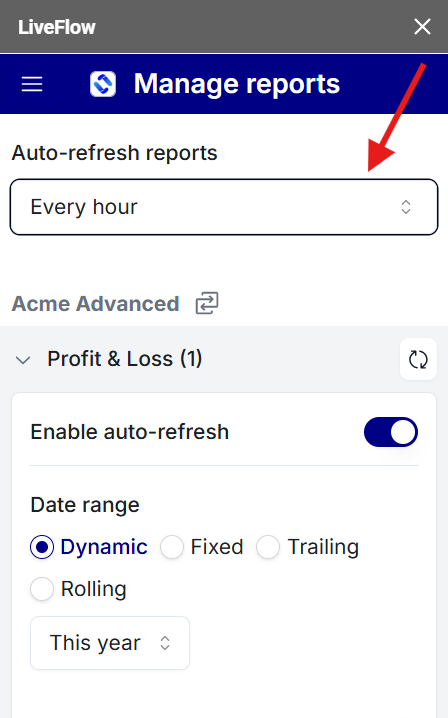
Method 1 - Automatic hourly refresh (Most recommended)
Open LiveFlow
Go to Manage Reports
Click the auto-refresh reports dropdown menu
Set it to Every hour
Method 2 - Click on Refresh all reports
Go to Extensions
Click LiveFlow
Click Refresh all reports
Method 3 - Refresh your spreadsheet
Reload your spreadsheet
Click Yes when we ask if you'd like to refresh your reports