How to set a Fixed Date Range
Last updated: February 9, 2026
Use a Custom Date Range to set the exact date range on your report.
Open “LiveFlow” under Google Sheets Extensions
Choose Create Report
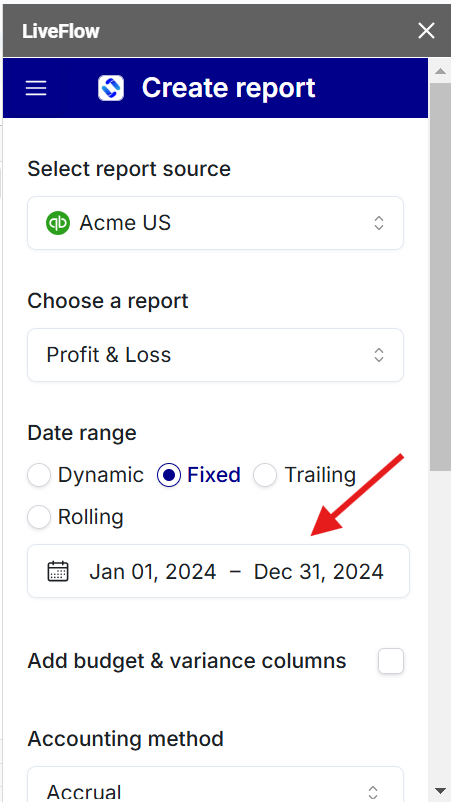
In the side bar menu, toggle Fixed under Date Range
Specify your start and end date