How to add members to your team in LiveFlow
Last updated: August 24, 2026
To add new members to your team using the LiveFlow web platform, follow these steps:
Open the LiveFlow Web App
Go to app.liveflow.com and log in to your account.Access Settings
In the bottom-left corner of the screen, click on Settings.Navigate to the Team Section
At the top of the Settings page, select the Team tab.Enter the User’s Email
In the team management section, locate the input field and type the email address of the person you want to invite.Add the Member
Click the “Add Member” button to send the invitation.Assign the Appropriate Role
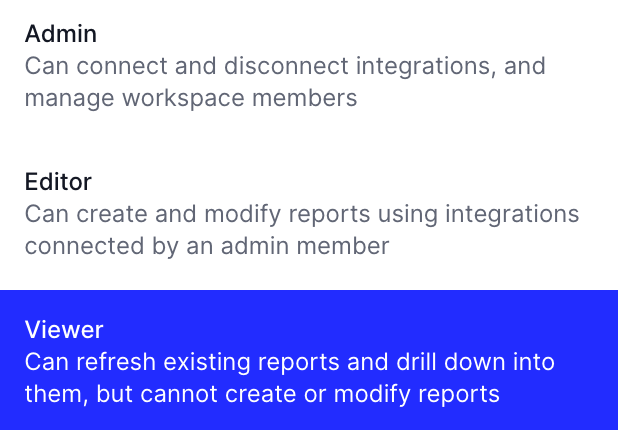
After adding the new member, ensure they are assigned the correct role (e.g., Admin, Editor, Viewer) based on their responsibilities.