How to Display Columns by Classes
Last updated: February 9, 2026
LiveFlow streamlines the creation and customization of reports, helping you quickly generate reports with advanced display options, such as organizing data by Class.
Please take the following steps:
Open LiveFlow
Go to the Create Report tab
Select a Profit & Loss report
Click on Display columns by
Choose Class
Click Create Live Report to import the P&L report
The view you will receive will reflect your QBO setup including all Classes and the Non Specified column too.
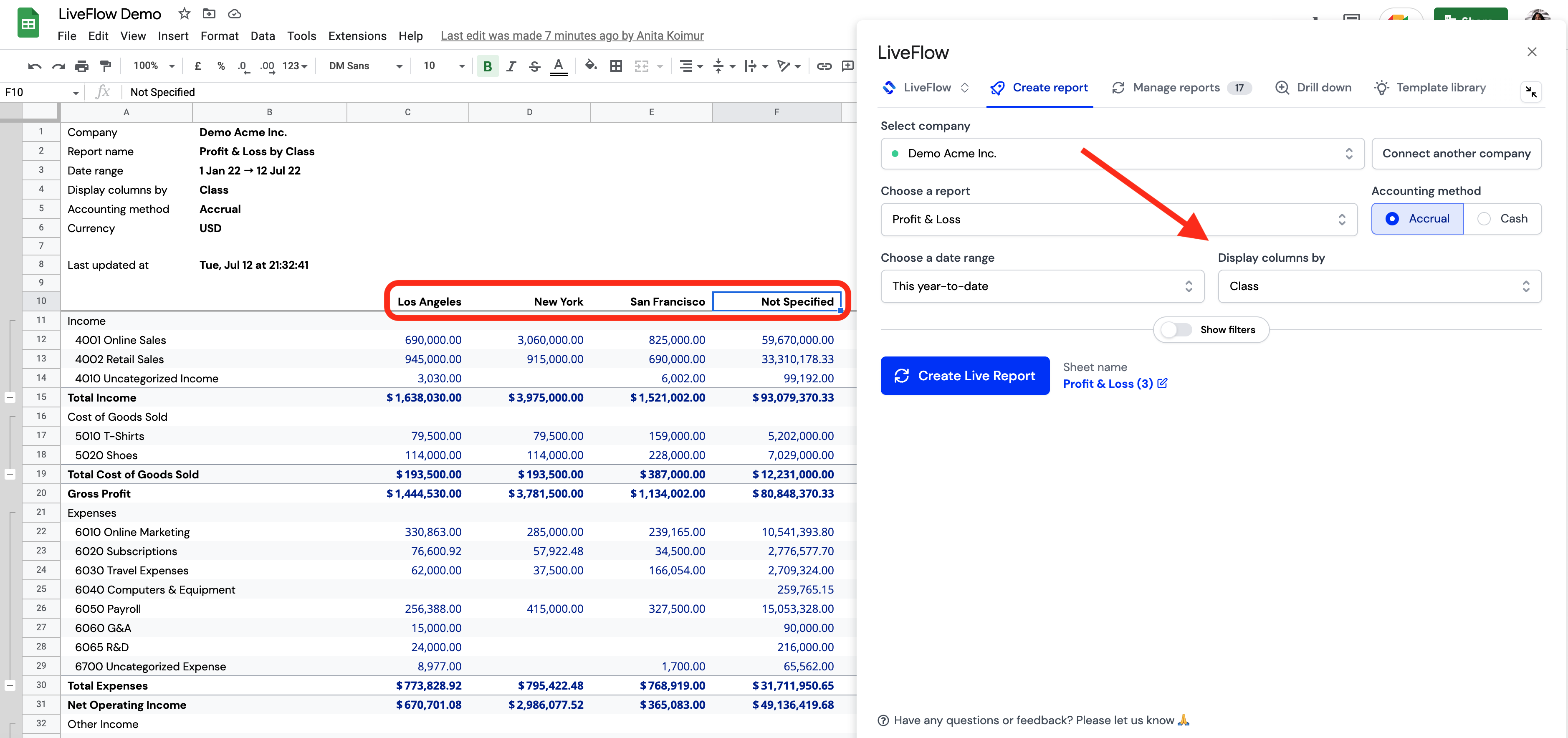
QuickBooks P&L report by Class made by LiveFlow