Why is LiveFlow asking me to sign in every time I use a LiveFlow template?
Last updated: February 9, 2026
There are two method to access LiveFlow templates
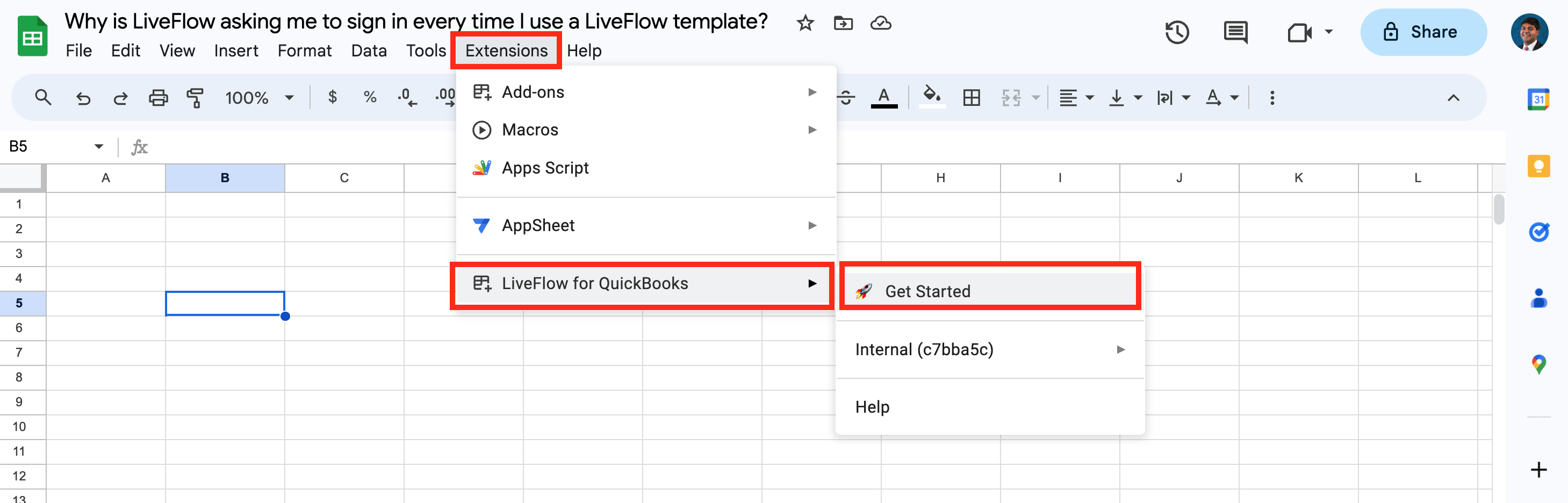
Through the LiveFlow Extension
To avoid having to sign in every time, we suggest using the first method by accessing templates through the LiveFlow Extension
Open the LiveFlow Extension
Click Create Report
Choose Start from a template
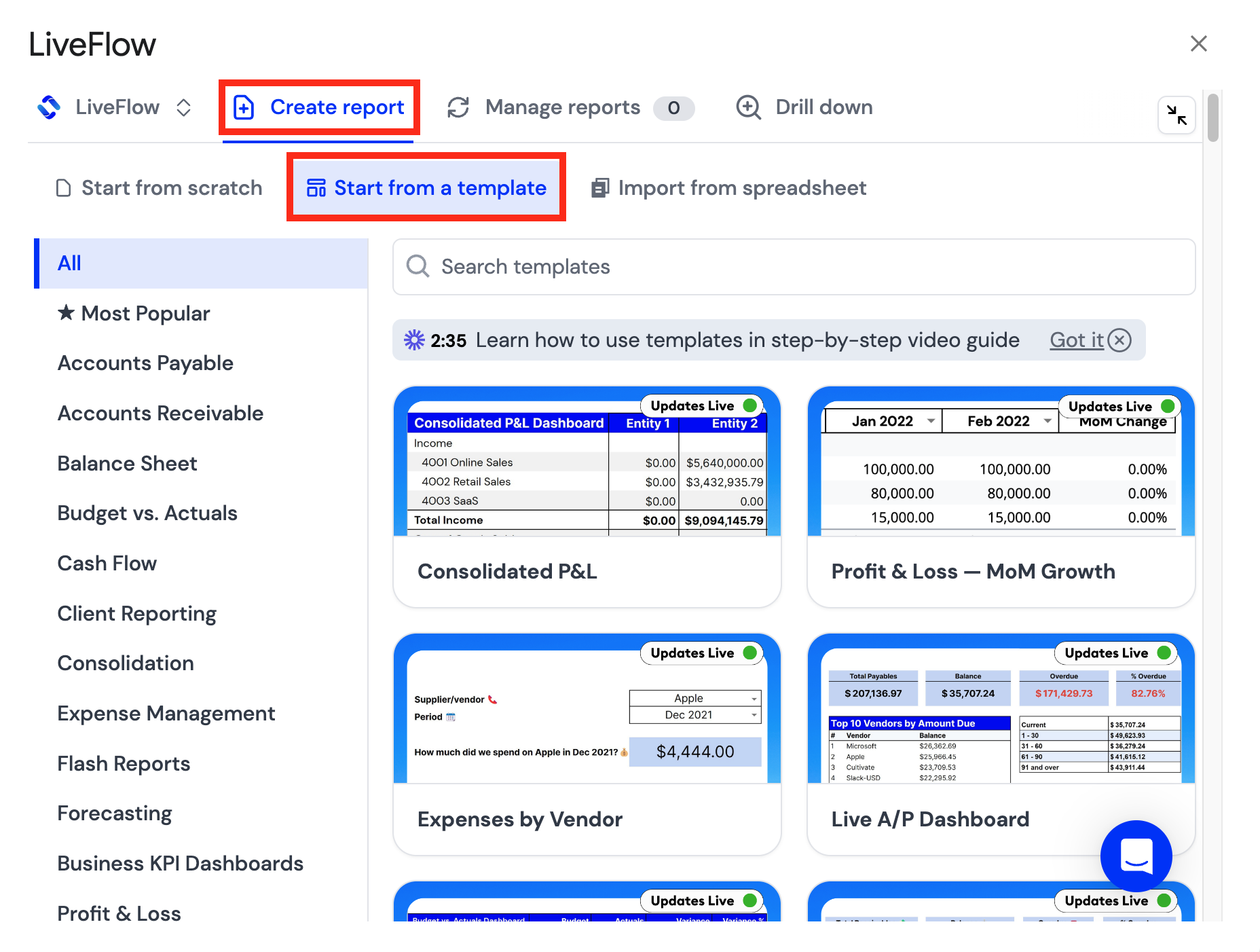
Select the template you want or browse through the library of templates we have built