How to remove (deleted) accounts in a LiveFlow report?
Last updated: June 17, 2026
Want to remove these (deleted) accounts from your report?
Scroll down to see how 👇
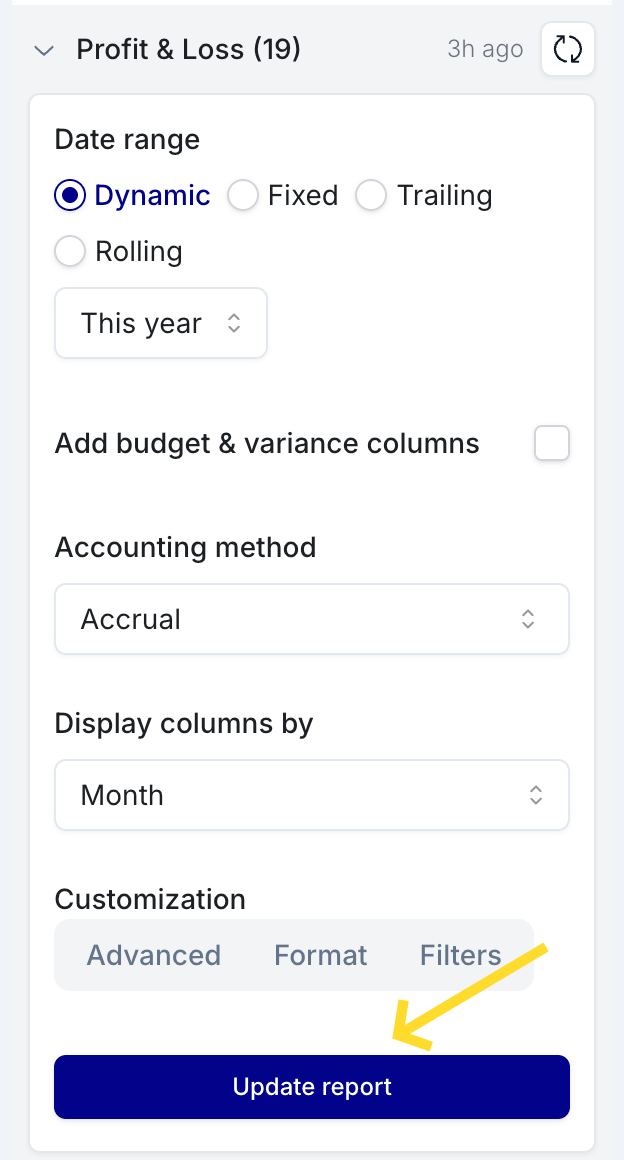
Step 1: Click "Update Report" first
If deleted accounts are appearing in your report, the first thing to try is clicking Update Report in the LiveFlow sidebar.
Simply refreshing the page is not enough — you must click the Update Report button for the changes to take effect.
Still seeing deleted accounts? Try this filter:
If deleted accounts are still appearing after clicking Update Report, use the filter workaround below.
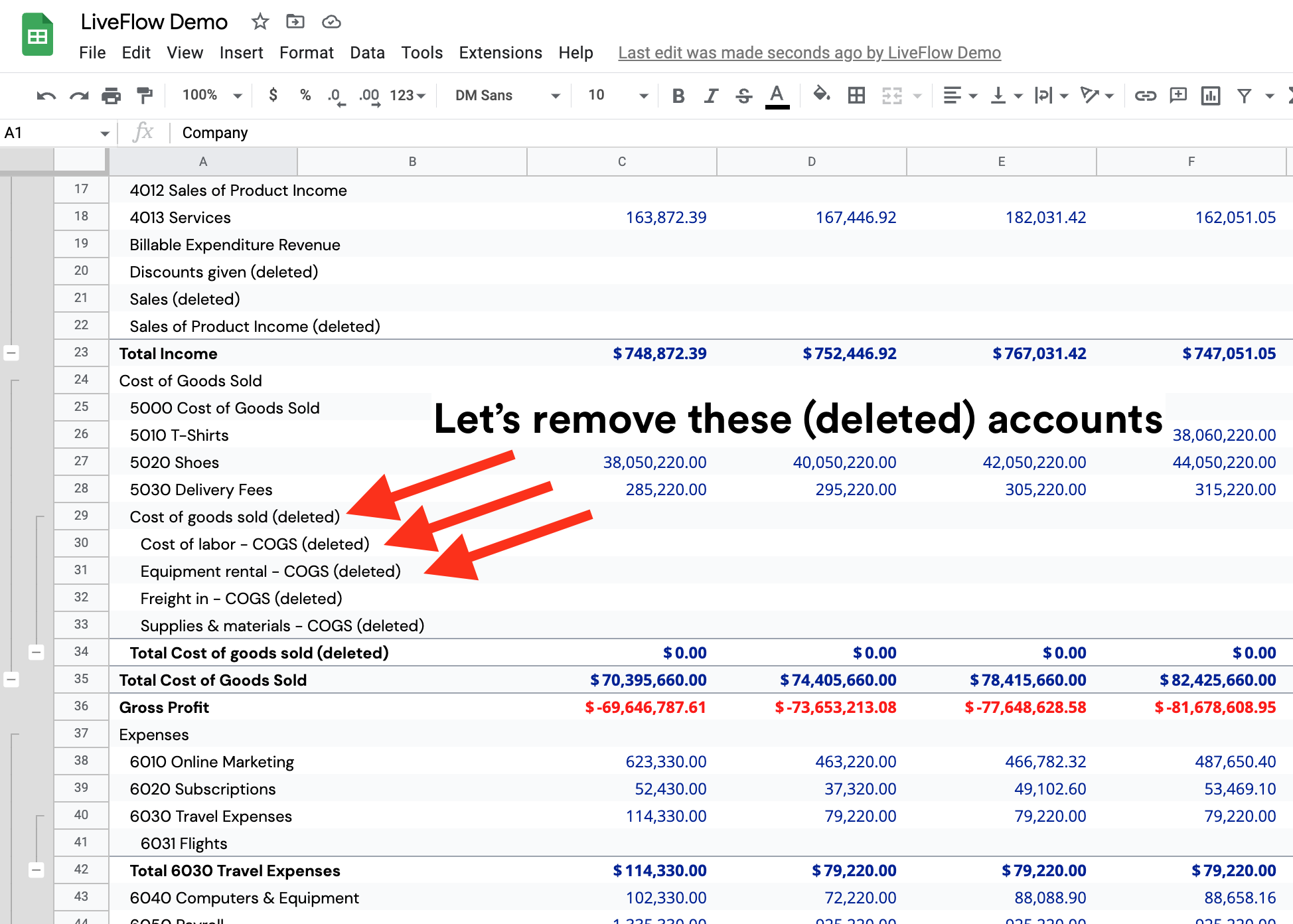
How to remove (deleted) accounts in a LiveFlow report?
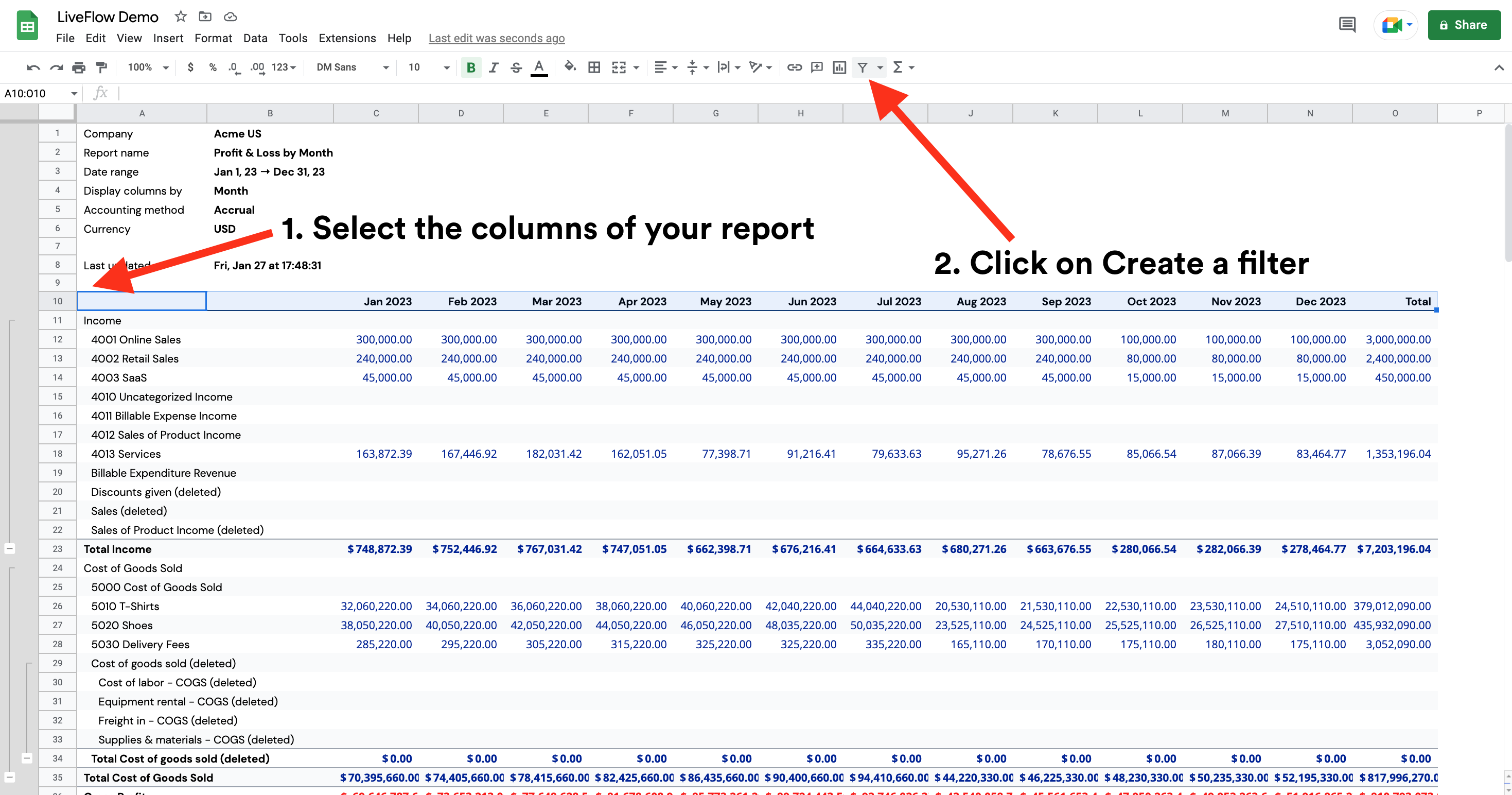
Select the columns of your report
Click on Create a filter
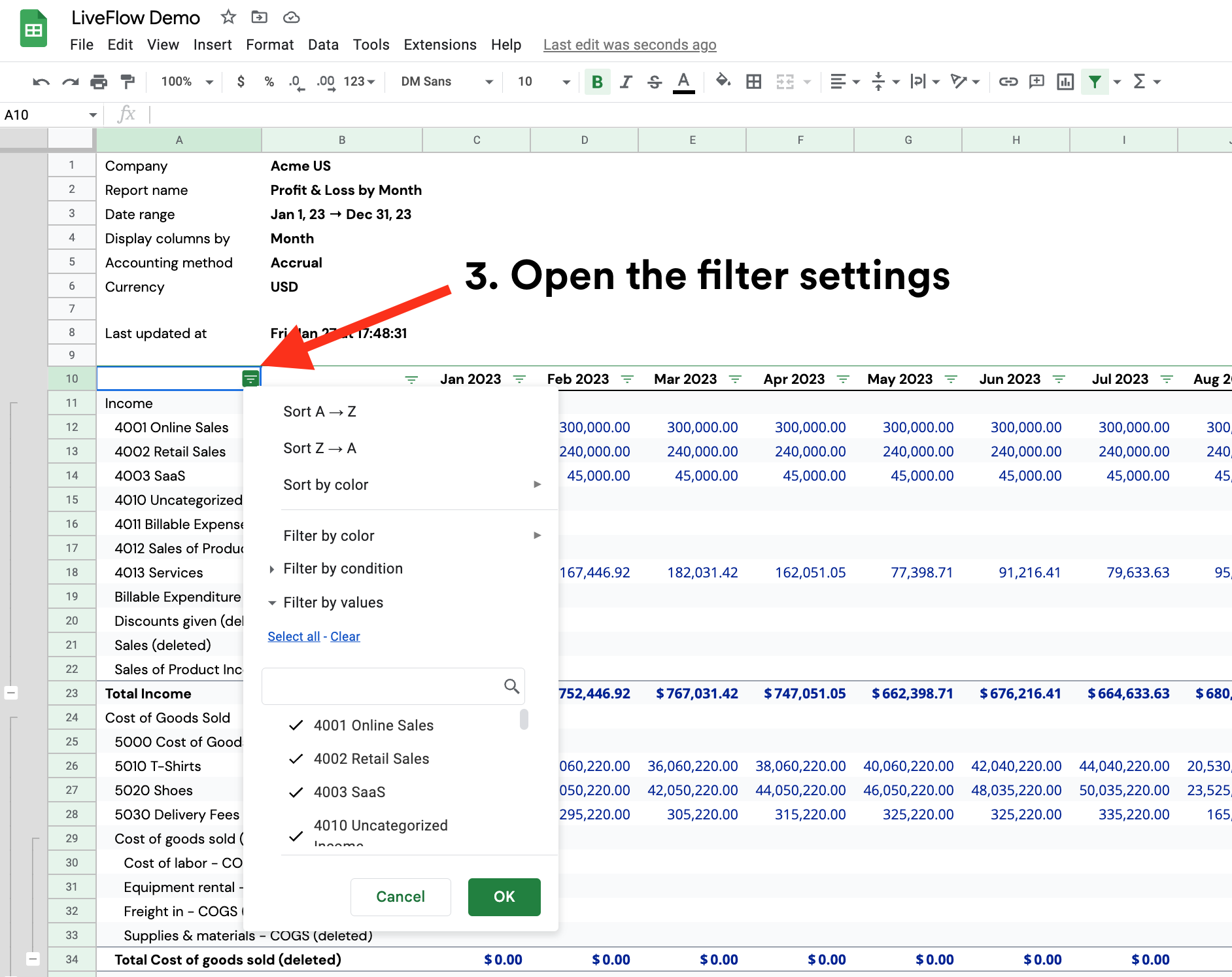
Open the filter settings
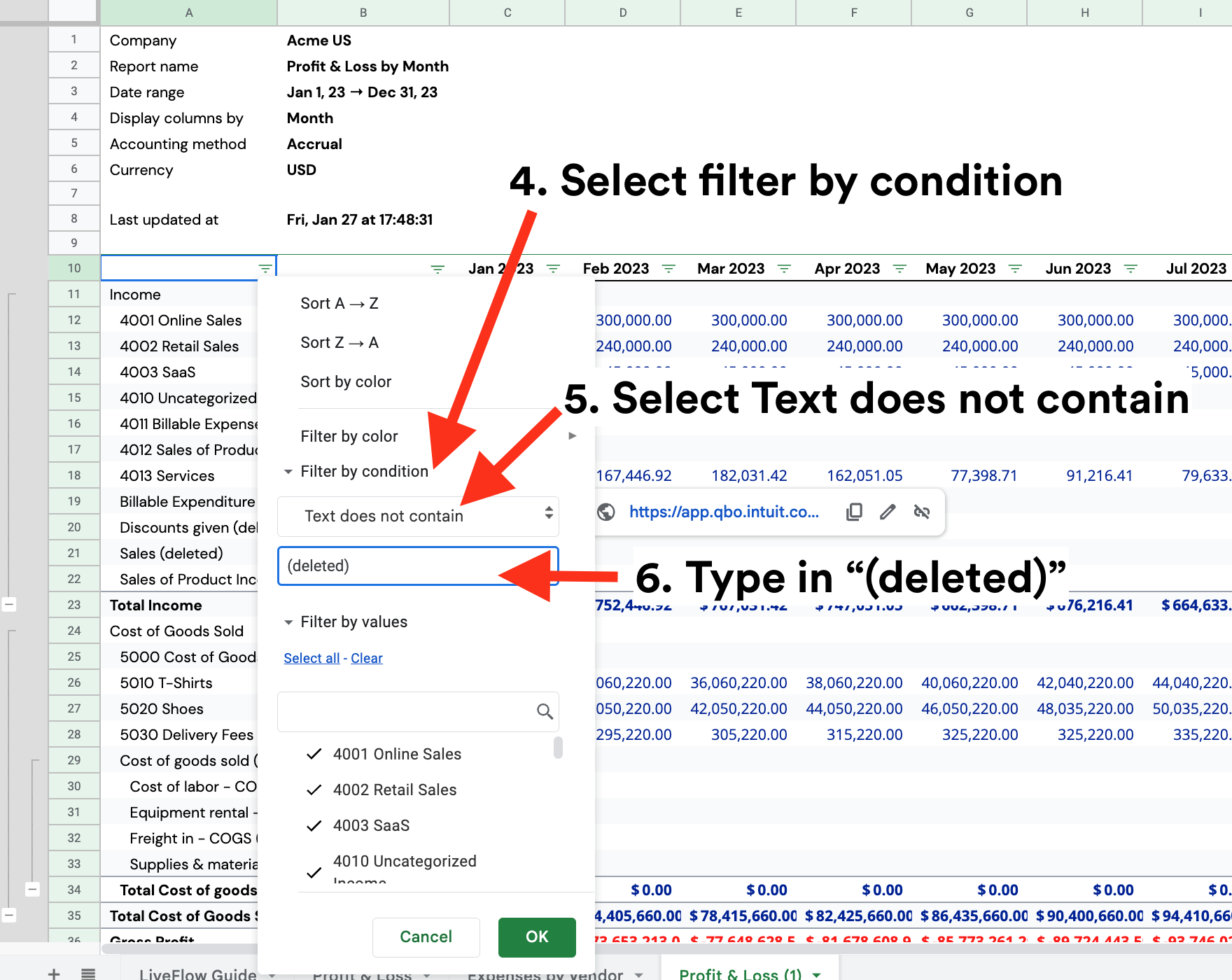
Select filter by condition
Select Text does not contain
Type in “(deleted)”
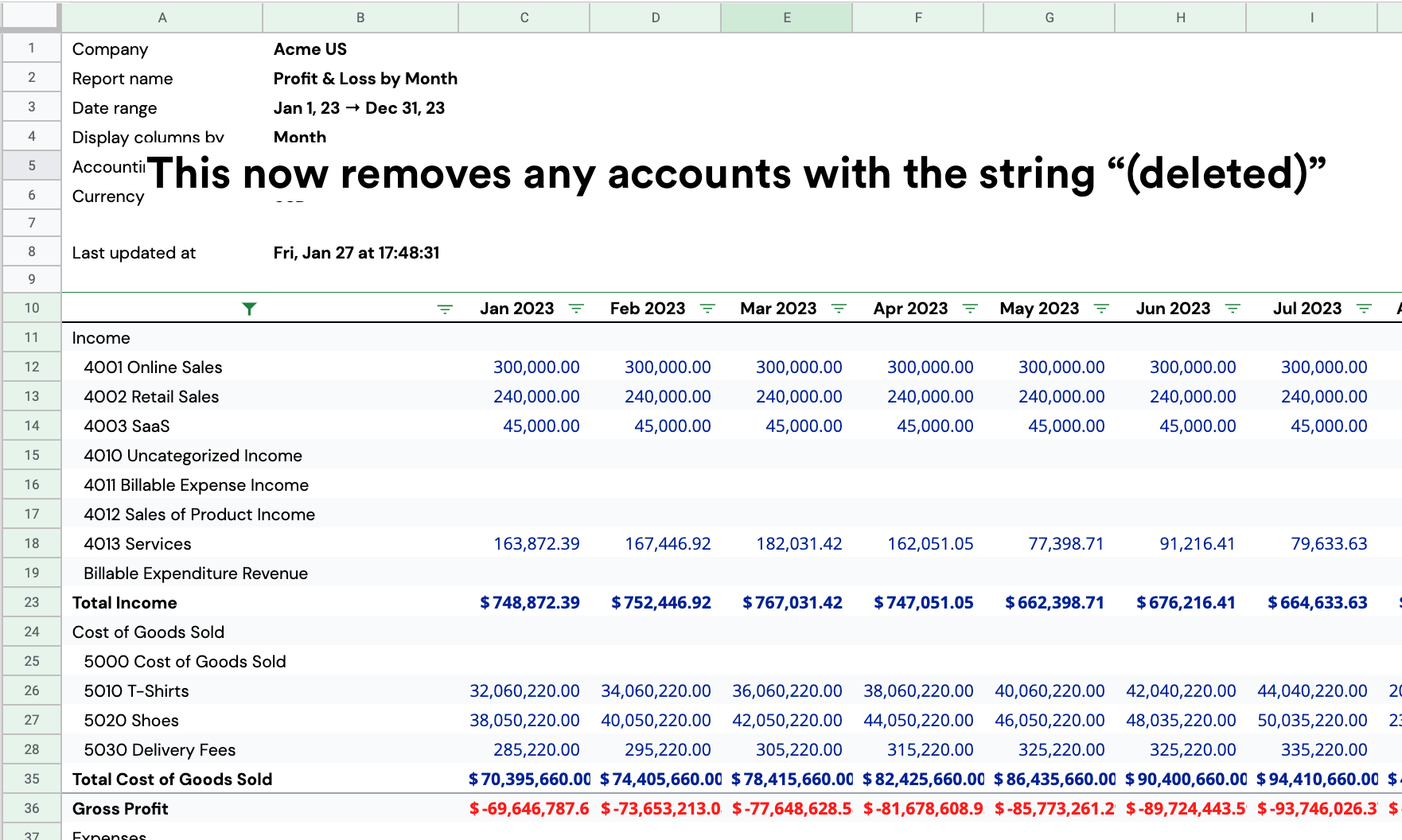
This will now remove any accounts that includes the the string ”(deleted)”