How to create a report with a trailing date range
Last updated: February 9, 2026
Here's how you can set up a trailing date range in LiveFlow
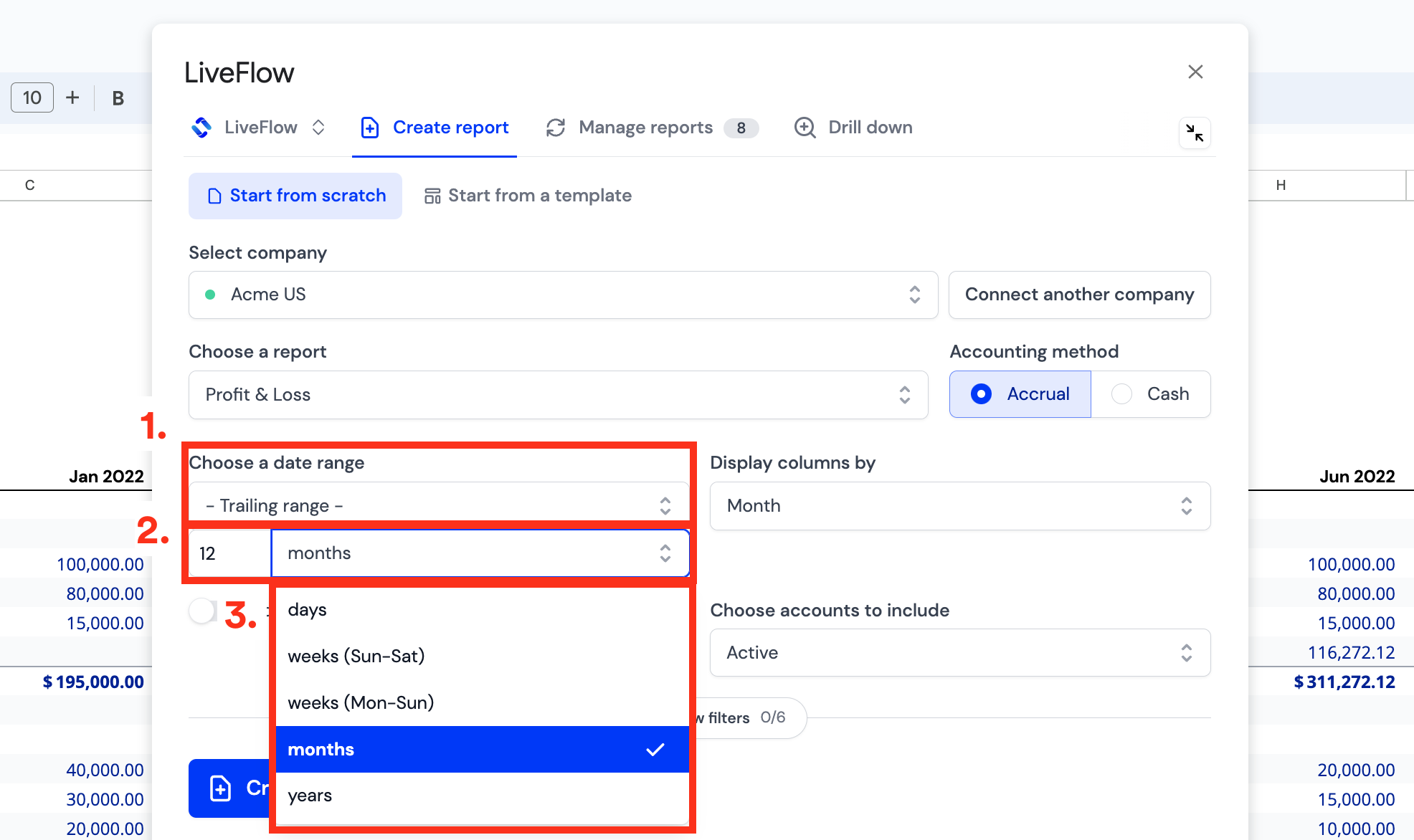
Choose a report, e.g. a Profit & Loss
Go to the date range dropdown and select Trailing Range
Specify the period type, e.g. months, weeks, or days
Select the value, e.g. trailing 12 months or trailing 13 weeks
You can choose any period that you like.
Learn more in this video guide