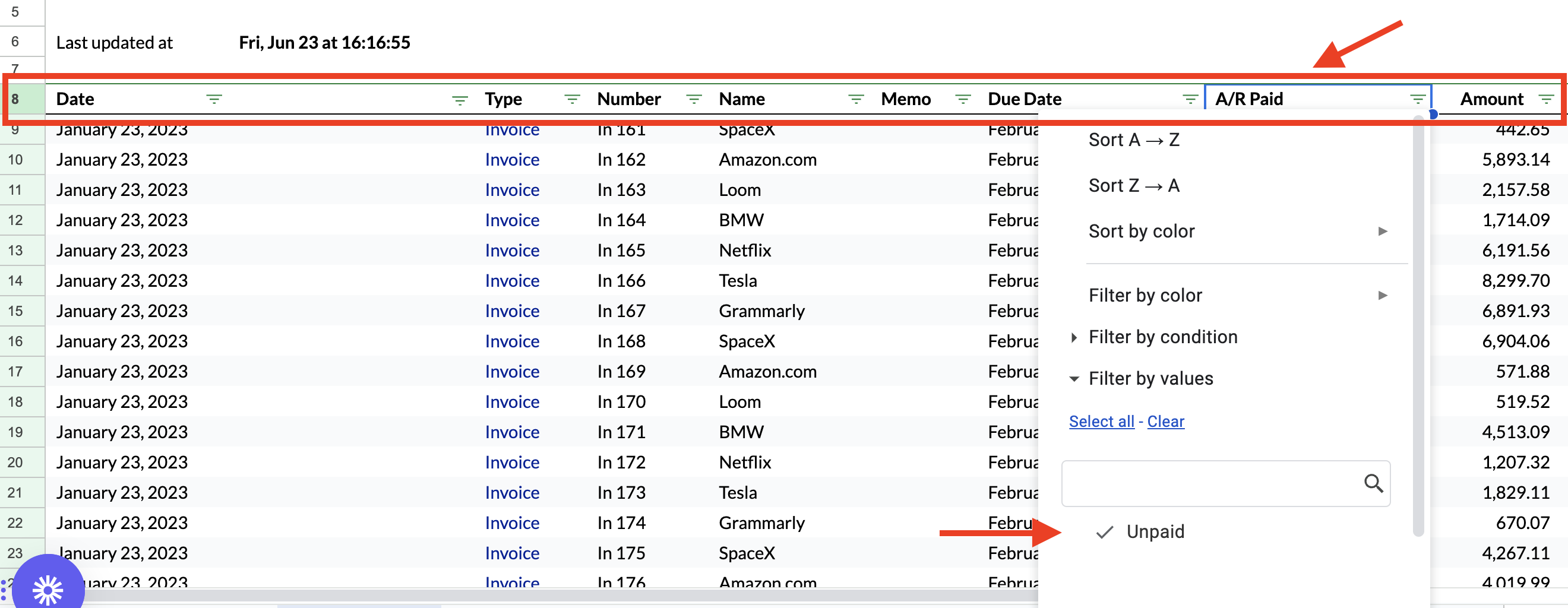
How do I add a filter for A/R Paid on the Invoice List Report
Last updated: February 9, 2026
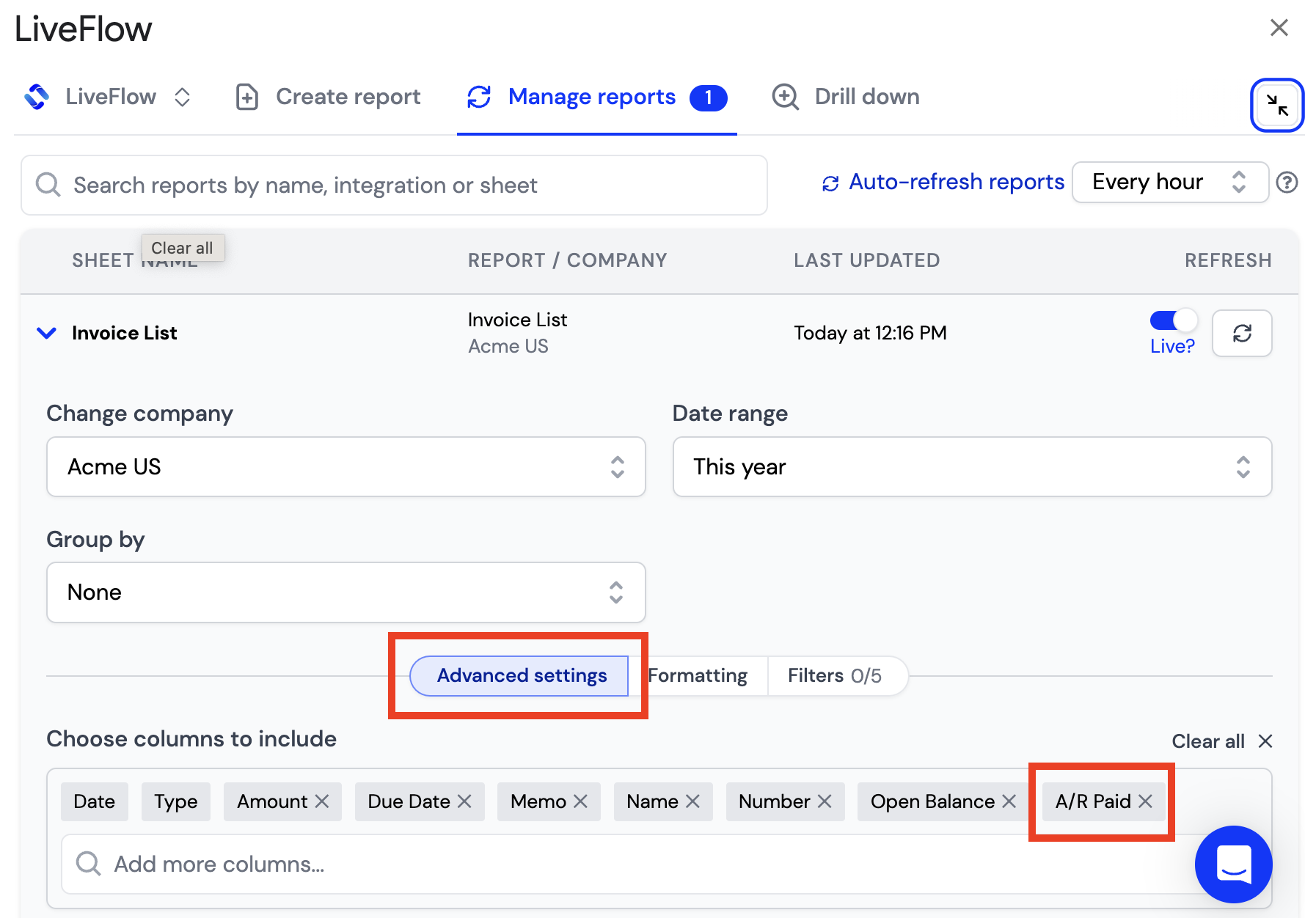
1) Click on Advanced Settings in the LiveFlow extension in your Invoice List Report
2) Add A/R Paid as one of the Columns in your report
3) Apply a Google Sheets Filter to Row 8 of your report
4) In the A/R Paid Column, you will be able to filter to only Unpaid Invoices