How can I create a P&L by Location for Real Estate Companies?
Last updated: February 9, 2026
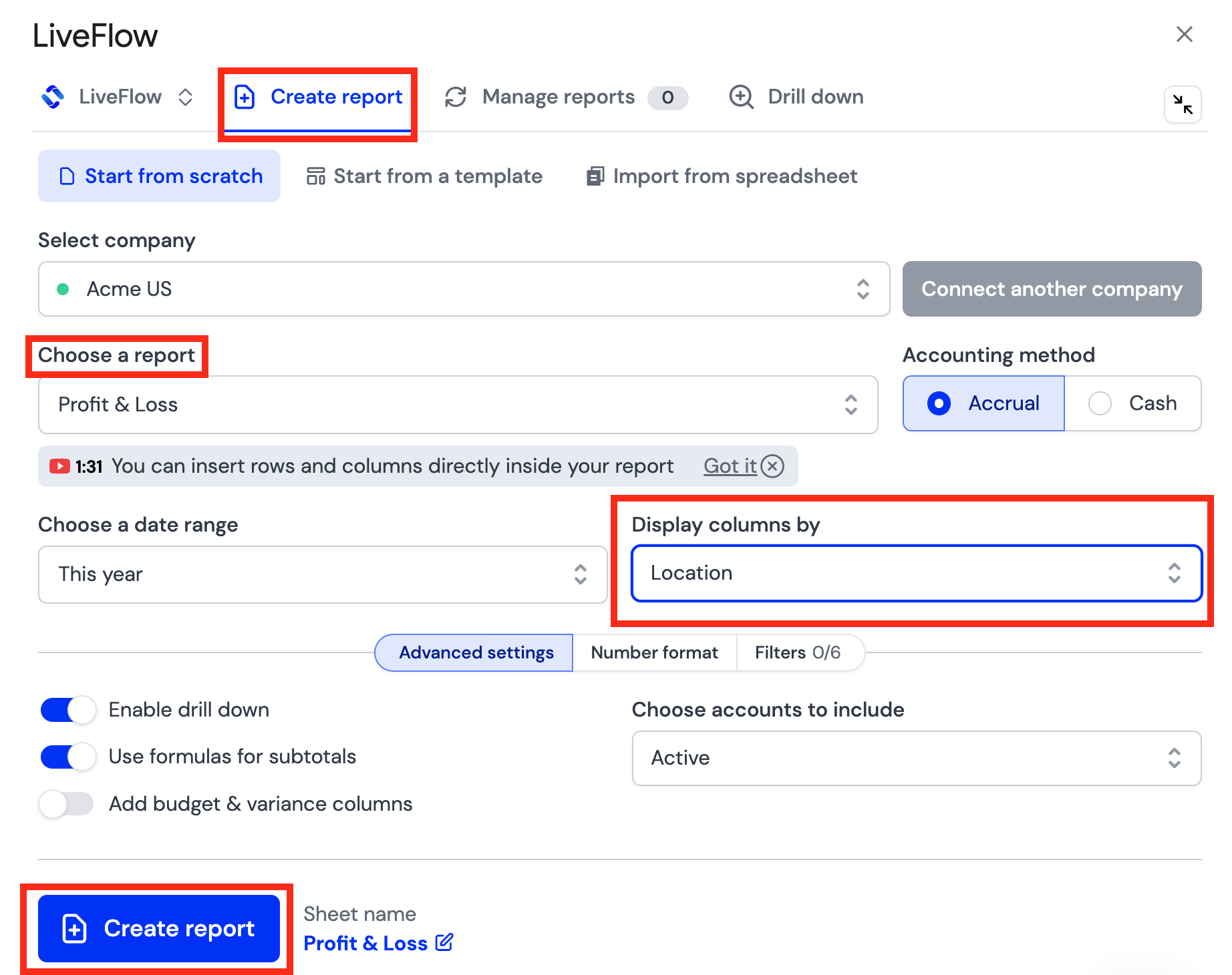
The easiest way to create a P&L by Location is to change the way the columns in your P&L are displayed. To do this:
Open the LiveFlow Extension and click Create report
Select which QuickBooks company you'd like
Choose Profit and Loss as the report type
Under Display columns by, choose Location
Click Create report