How do I remove the Drill-Down URL for certain cells?
Last updated: February 9, 2026
There are two methods to remove the Drill-Down URL in your LiveFlow reports. To learn more about Drill Down, click here.
Method 1
Completely disable the Drill-Down Feature in LiveFlow
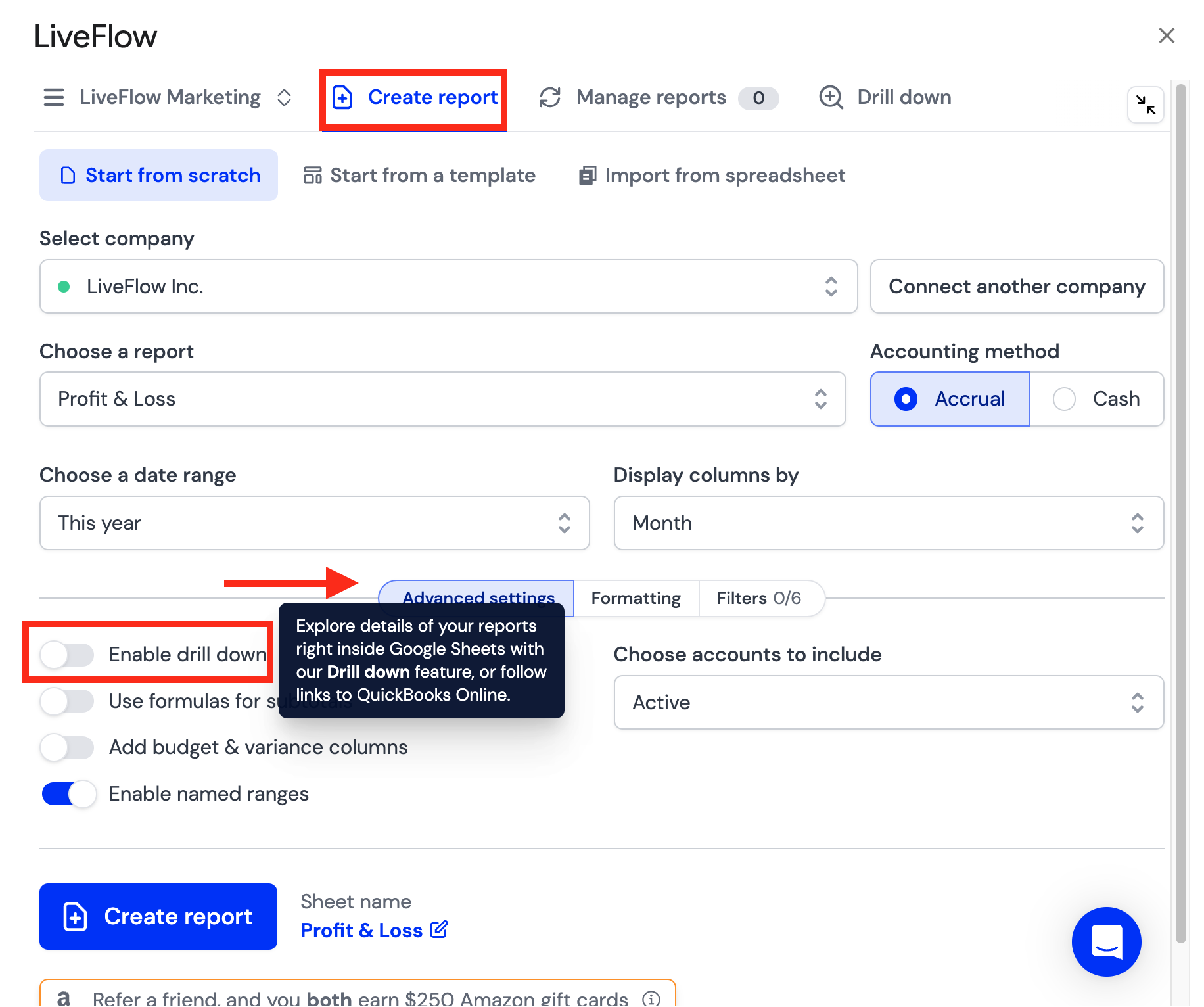
When in the LiveFlow Extension, click Advanced Settings
You will see a toggle to Enable drill down
Turn off the toggle (gray) if you'd like to completely disable the feature
Method 2
This method enables drill down in all cells (referenced cells as well), but removes the URL to QuickBooks in referenced cells
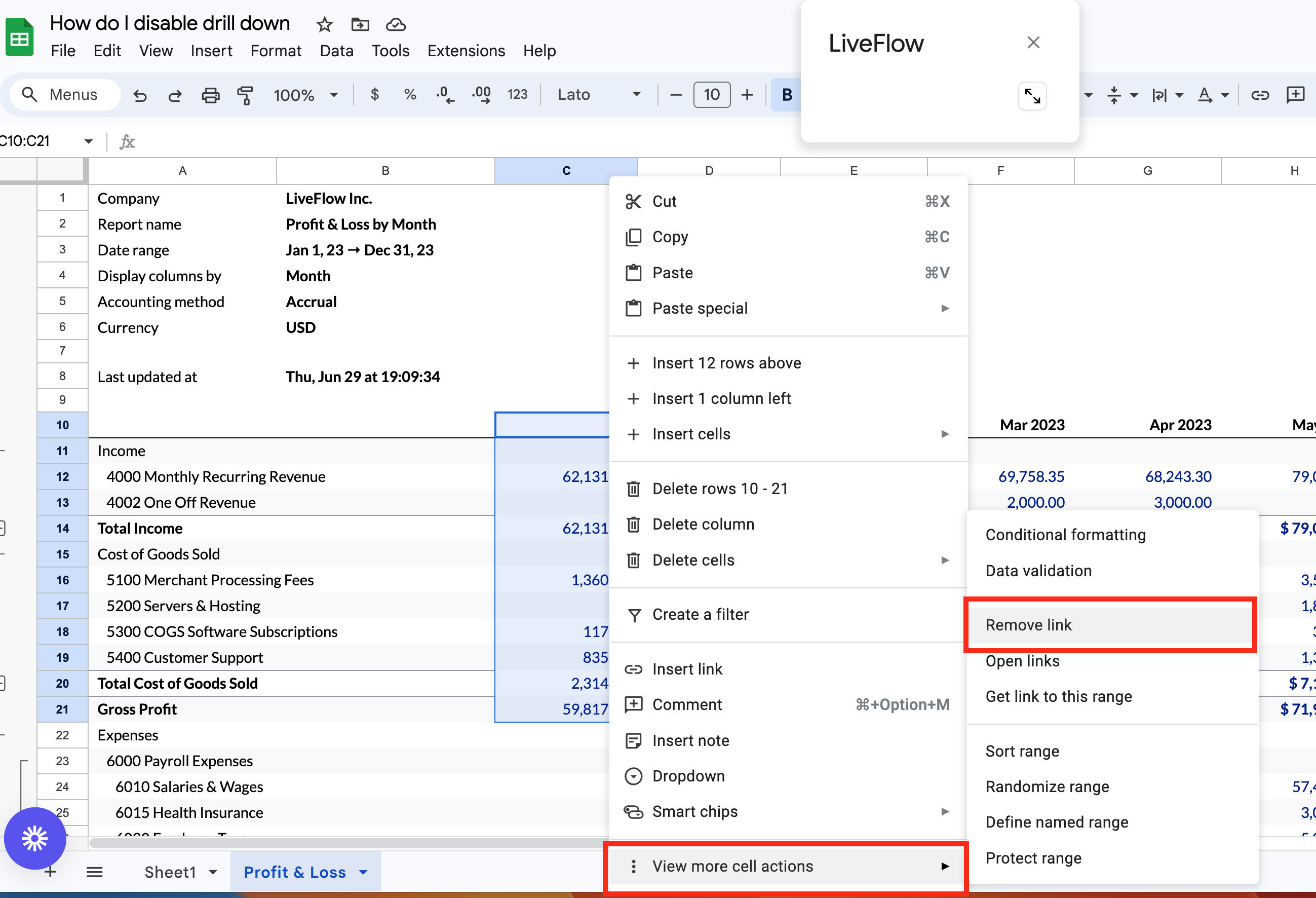
Select the cell range you'd like to remove the URLs from and Right Click
Select View More Cell Actions
Click Remove Link