How do I get my company's data to show up in a LiveFlow Template?
Last updated: February 9, 2026
To see your own company's data in a LiveFlow Template, simply follow these steps.
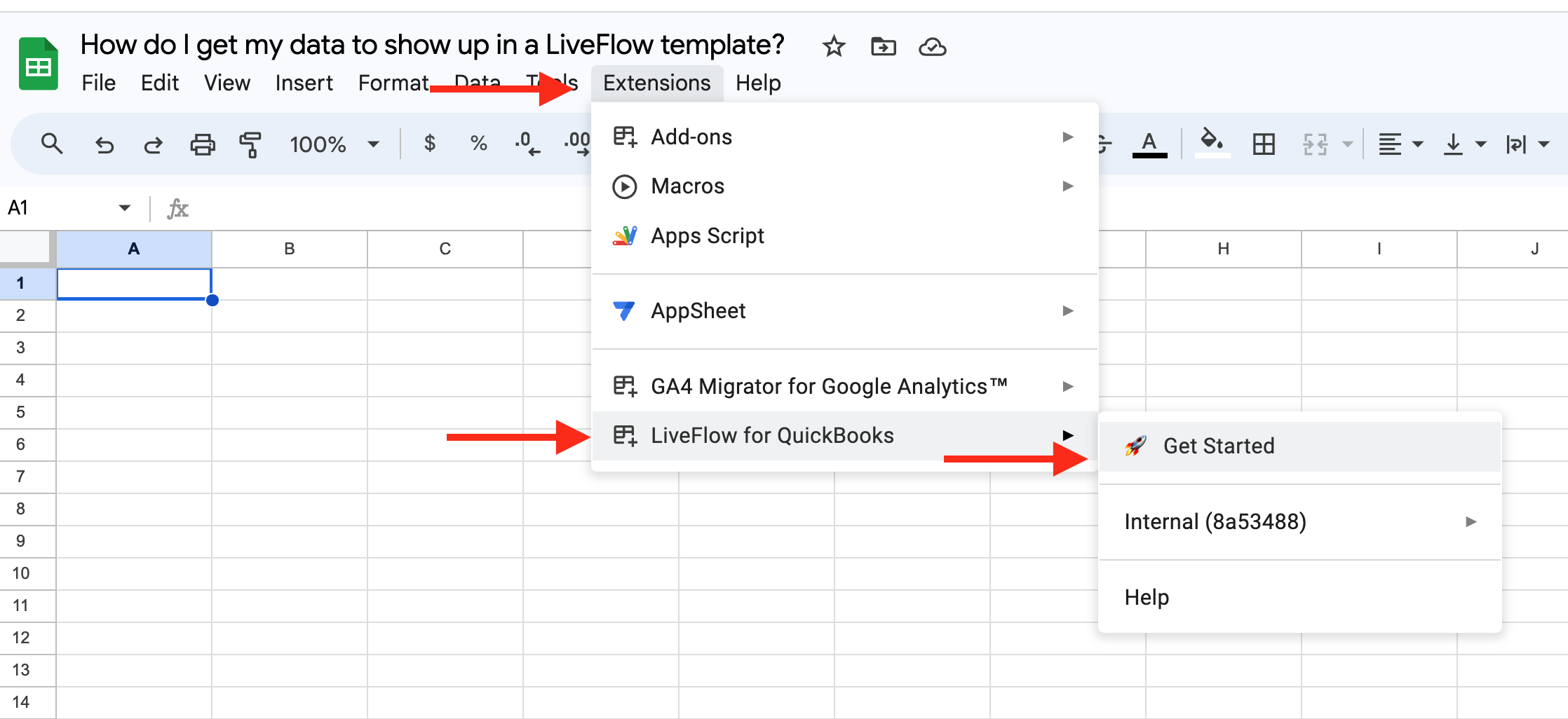
Open a new Google Sheet
Click Extensions > LiveFlow for QuickBooks > Get Started
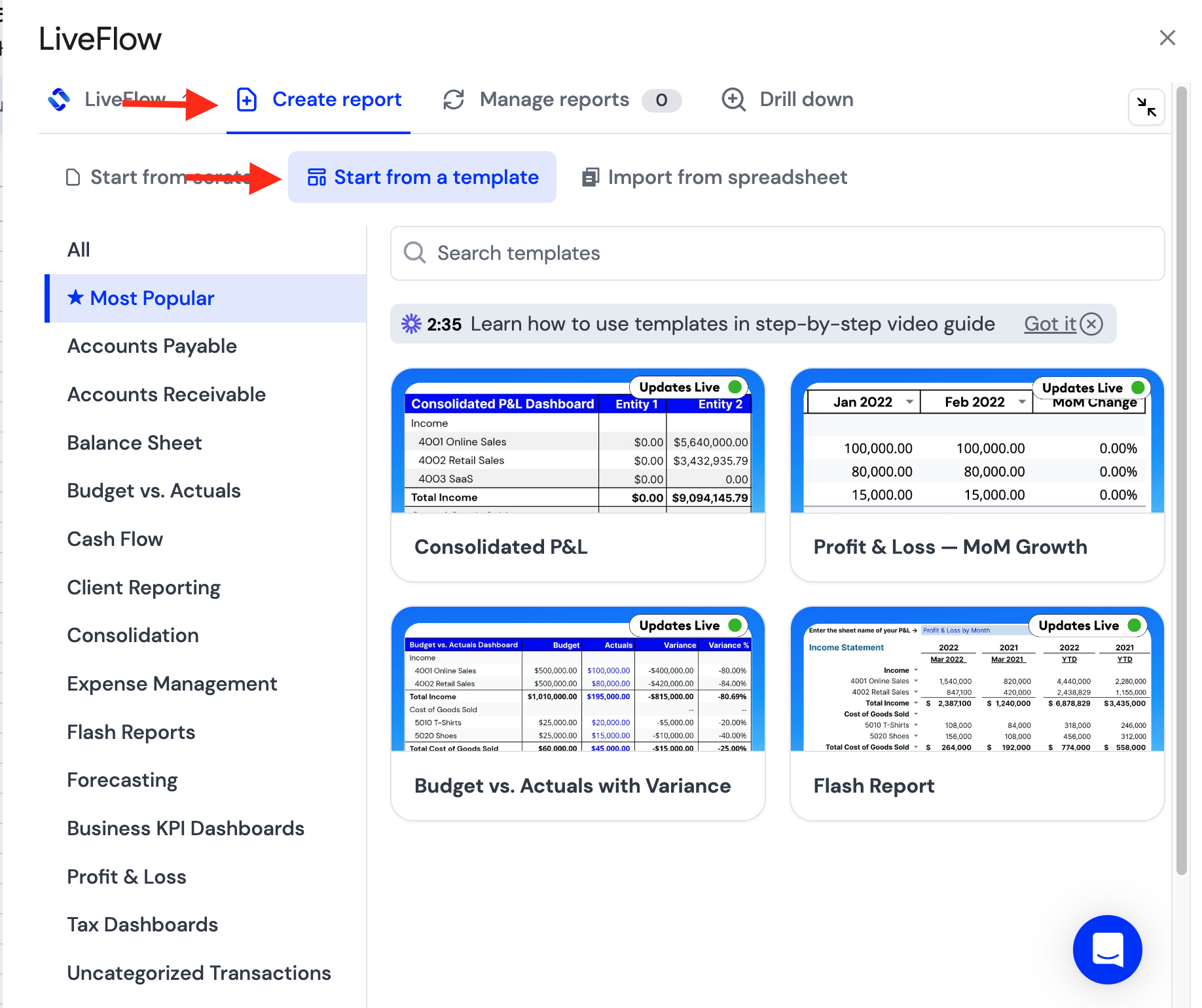
Select the Template you want to create
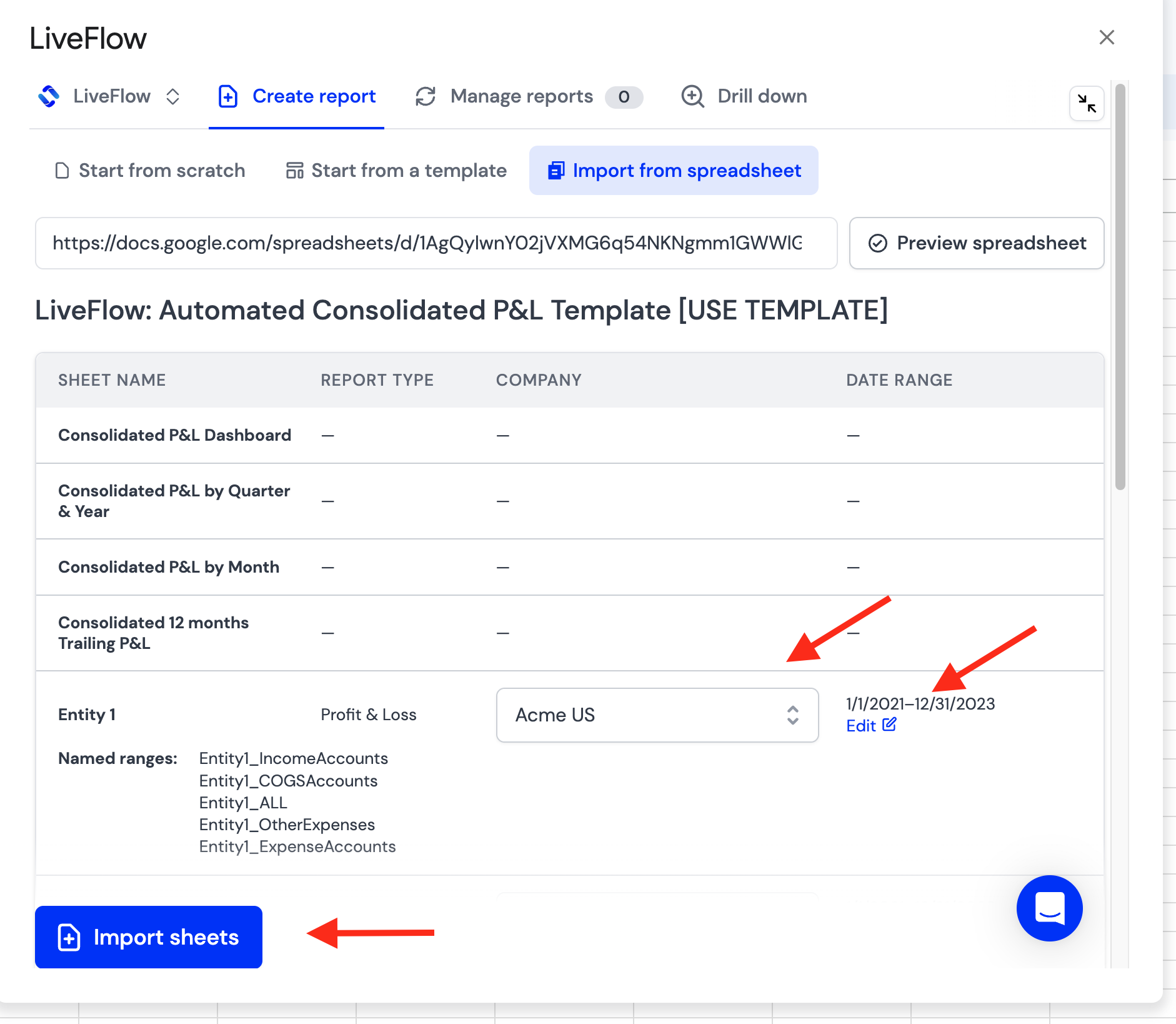
Select which companies/entities you want to include - and date ranges - and Click Import Reports
If you want to switch out the company/companies, you can always navigate to the live reports, designated by the green tab(s) in the bottom row of tabs

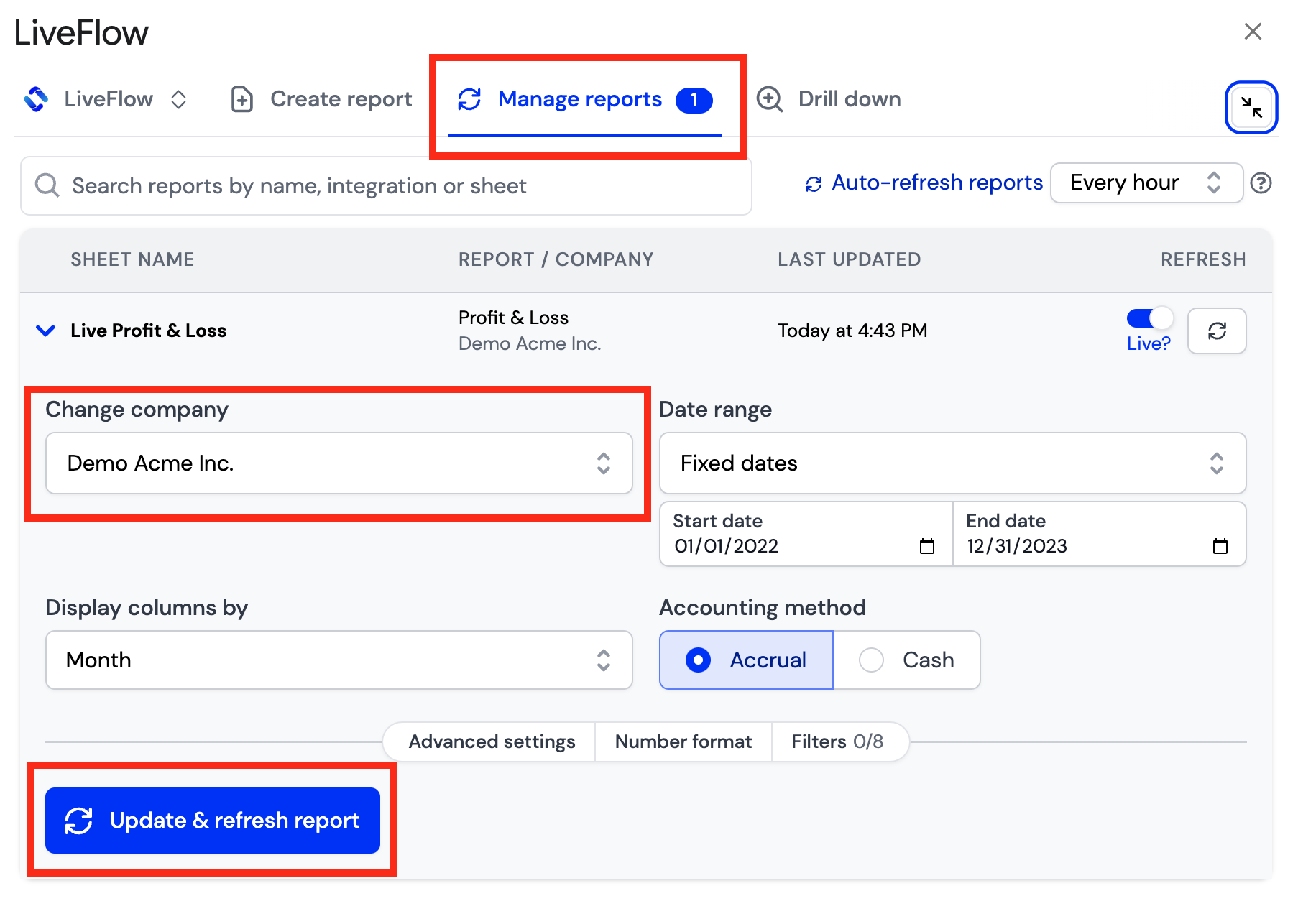
To switch the company/companies, click into the LiveFlow extension and into Manage reports. From here you can click on Change company.
To update the templates/reports, click Update and refresh report