How do I see the YTD Budget compared to YTD Actual?
Last updated: February 9, 2026
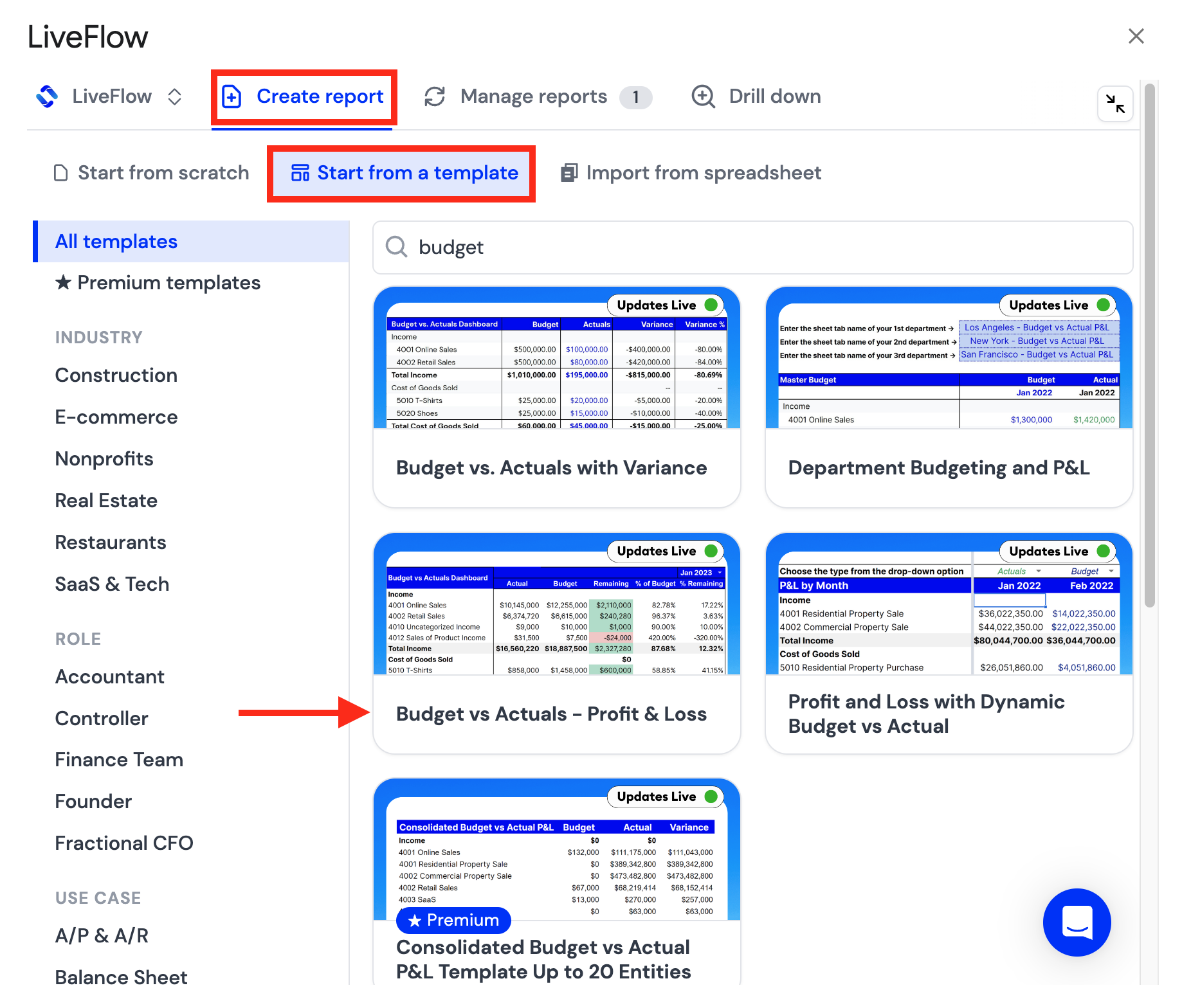
Open the LiveFlow Extension and click Create report
Open the Start from a template and choose Budget vs Actuals - Profit & Loss
Select your company that you'd like connected to the Live Profit & Loss sheet
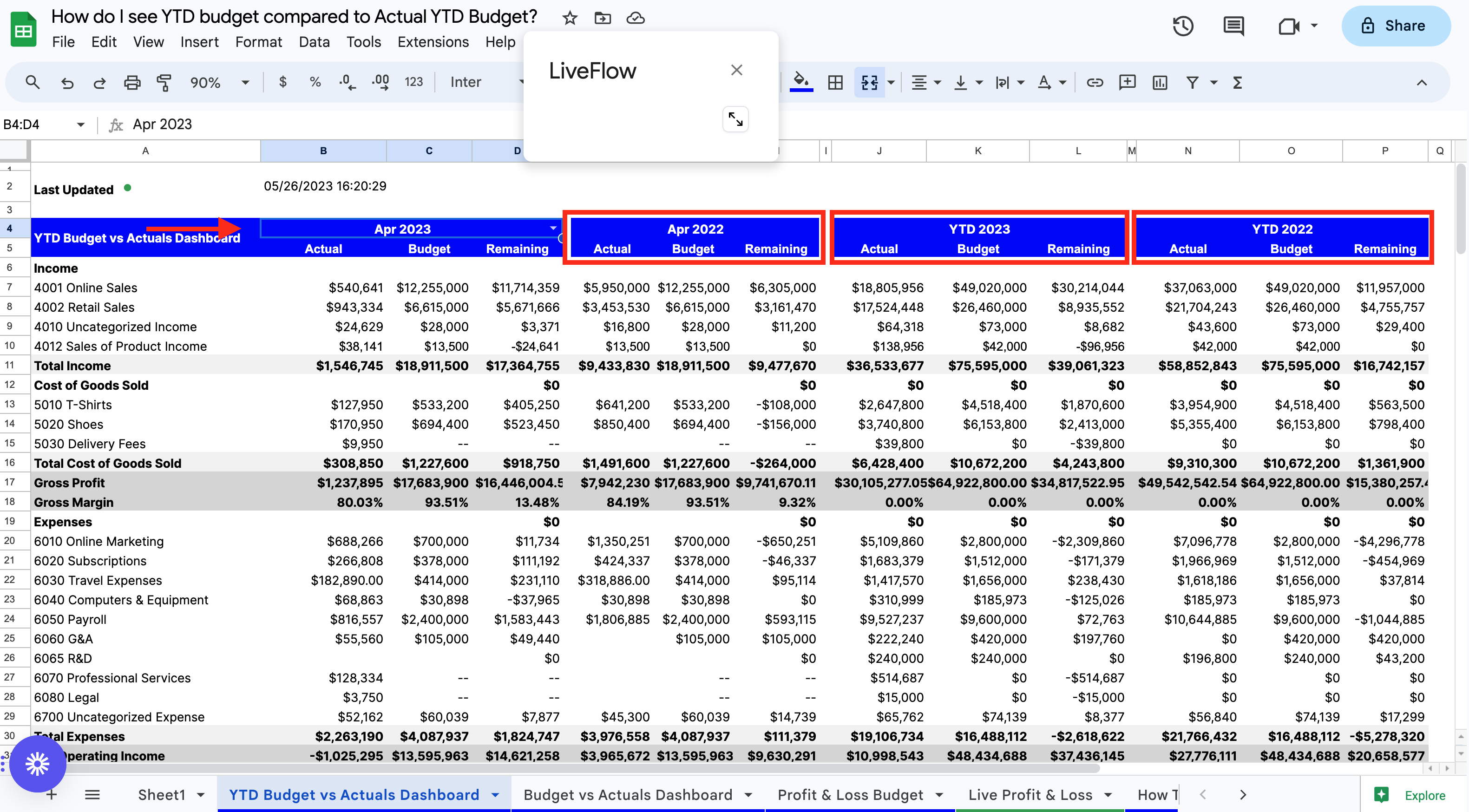
In the YTD Budget vs Actuals Dashboard, select the month you want to see in cell B4
The Actual/Budget/Remaining numbers for the following will update
The month you chose
The same month for the previous year
YTD 2023
YTD 2022