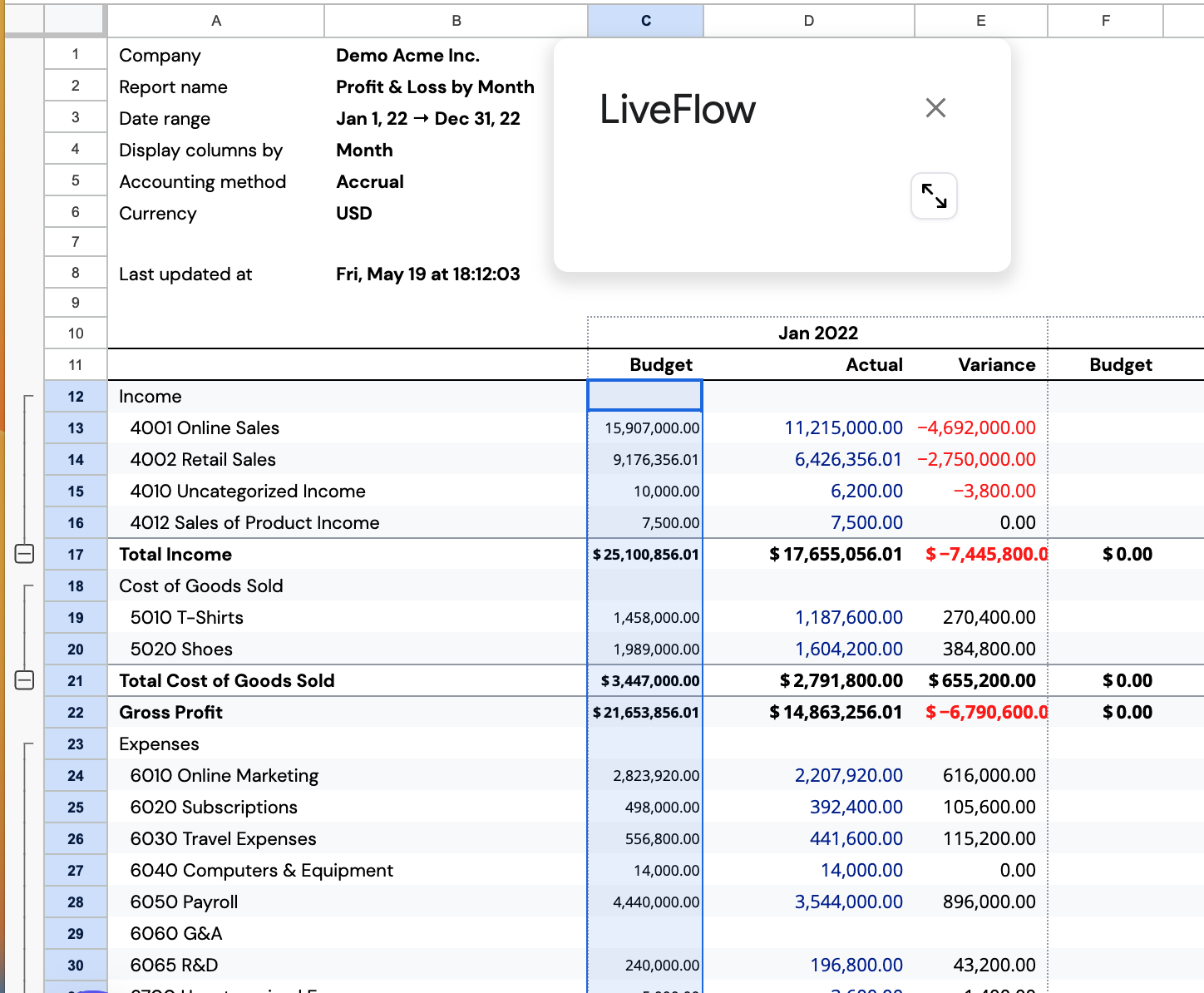
How do I import my budget from QuickBooks into a LiveFlow Budget vs Actuals Dashboard?
Last updated: February 9, 2026
There are 3 steps to import your budget from QuickBooks into your LiveFlow Template.
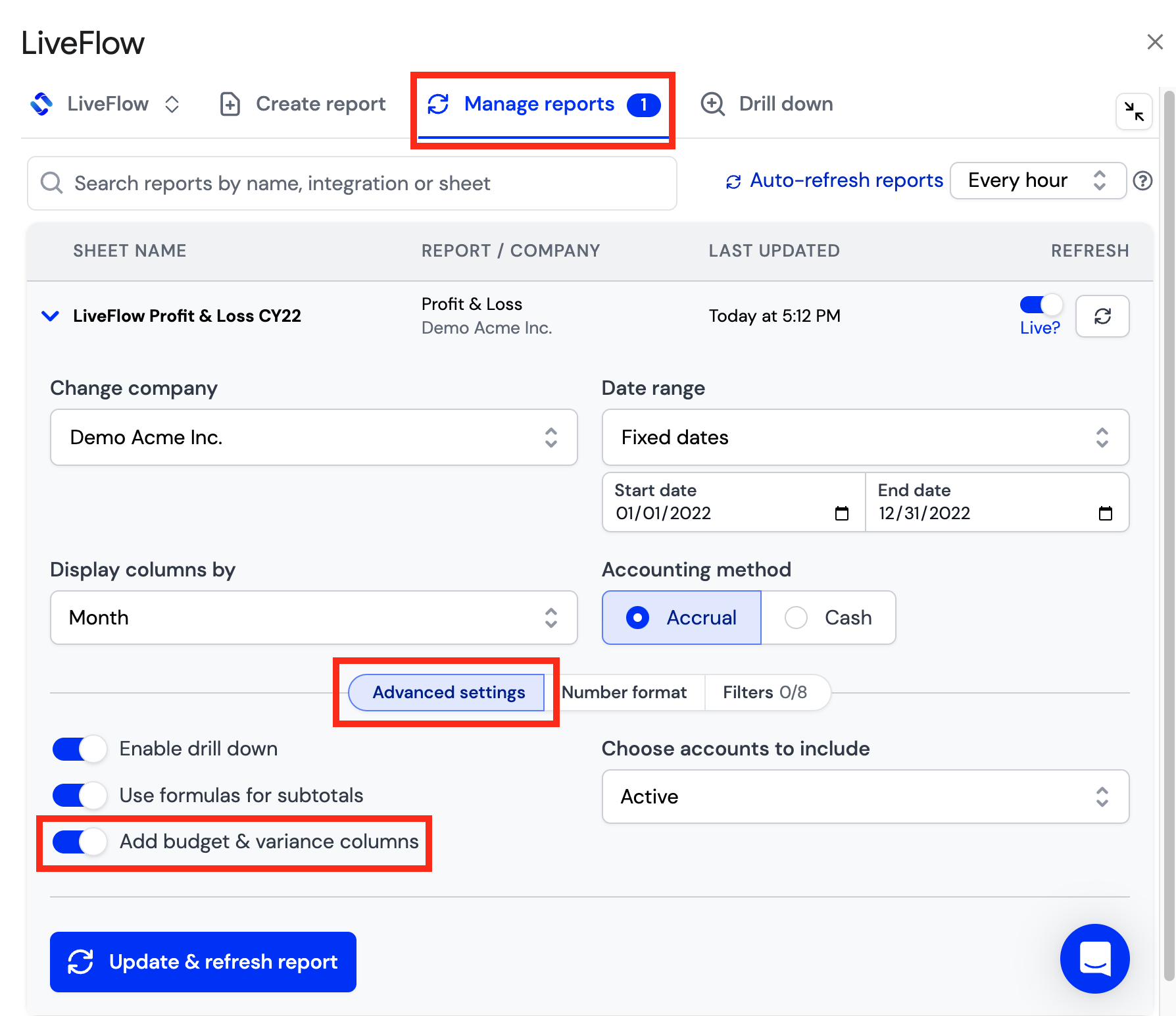
The first step will be to make sure you have budget and variance columns set up in your report or template. You can add these automatically through LiveFlow
Click Manage reports
Navigate to Advanced settings
Toggle the button on for Add budget and variance columns
Click Update and refresh report
The next step will be to export your Budget data from QuickBooks
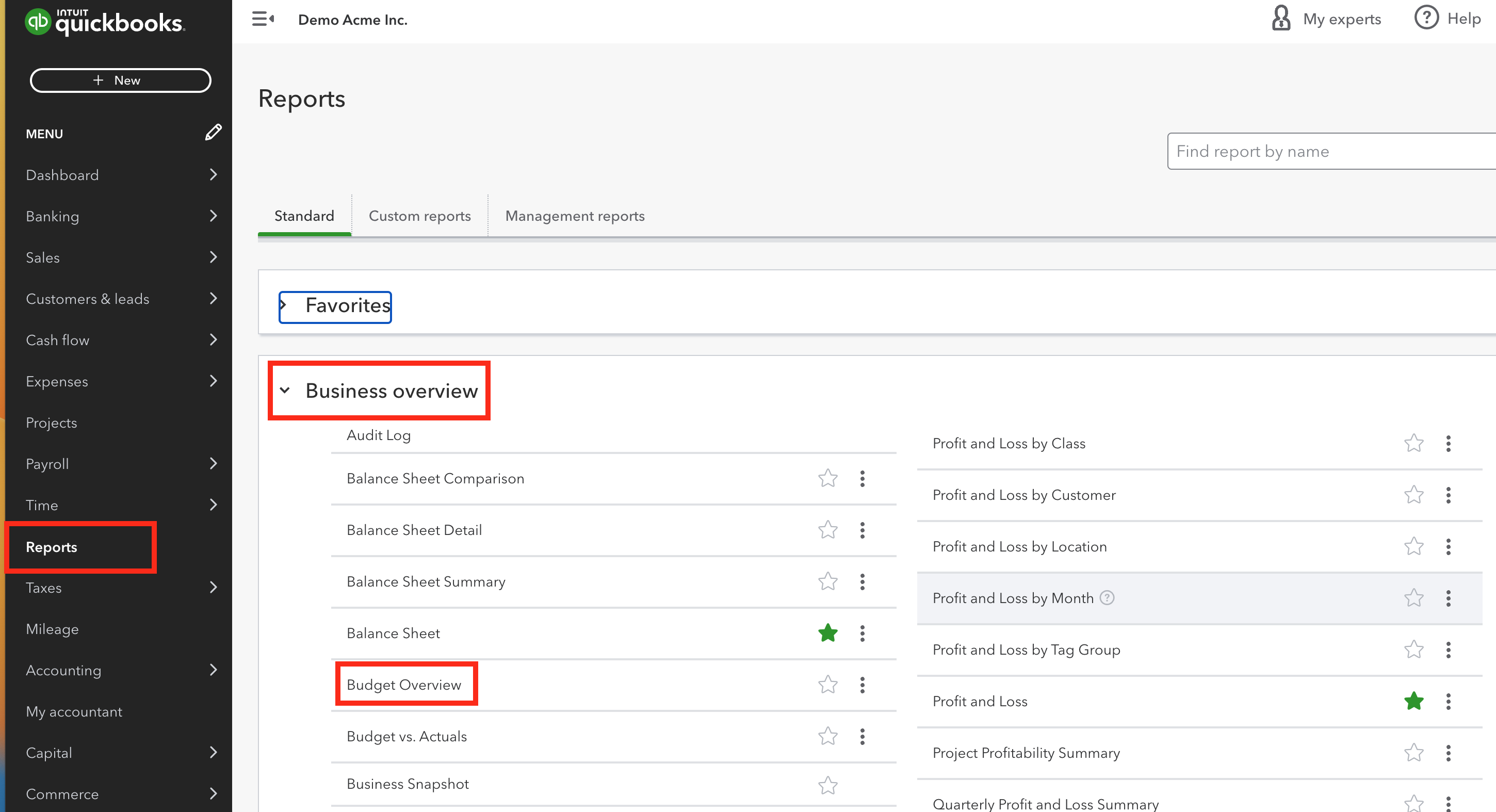
Log in to your QuickBooks Account and Click into Reports
Find the Budget Overview Report by searching or looking under Business Overview
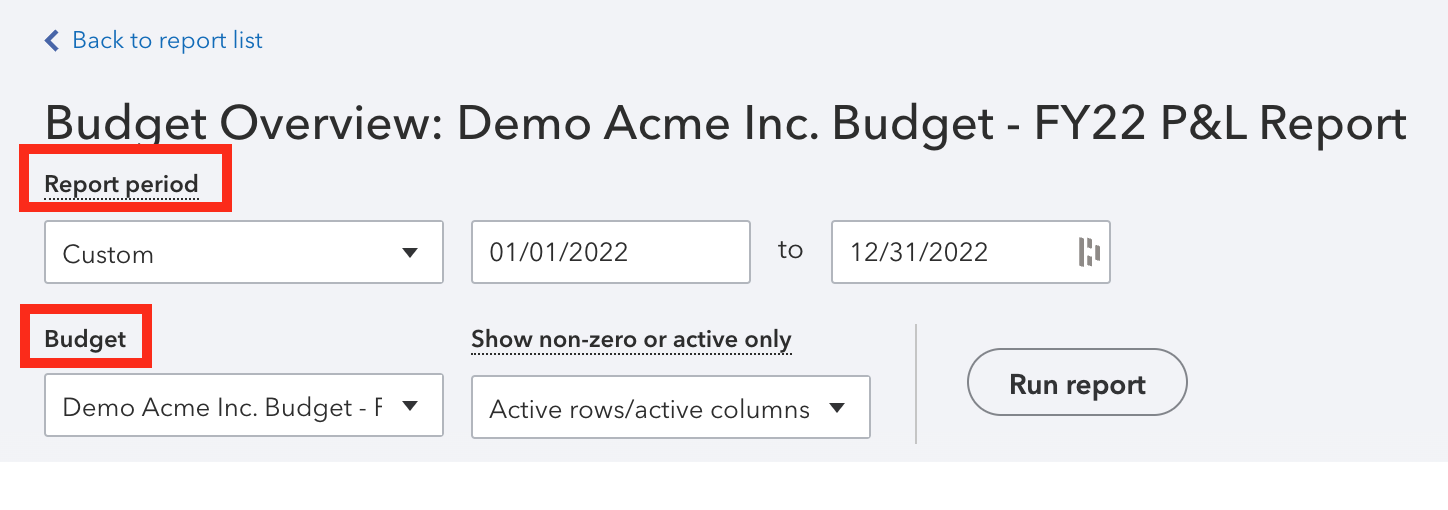
Check that the Report Period and the Budget are corresponding to the Report/Template you created in LiveFlow
Export your budget data to a spreadsheet

The 3rd step will be to copy and paste your budget data into the Budget column(s) in your LiveFlow Report/Template
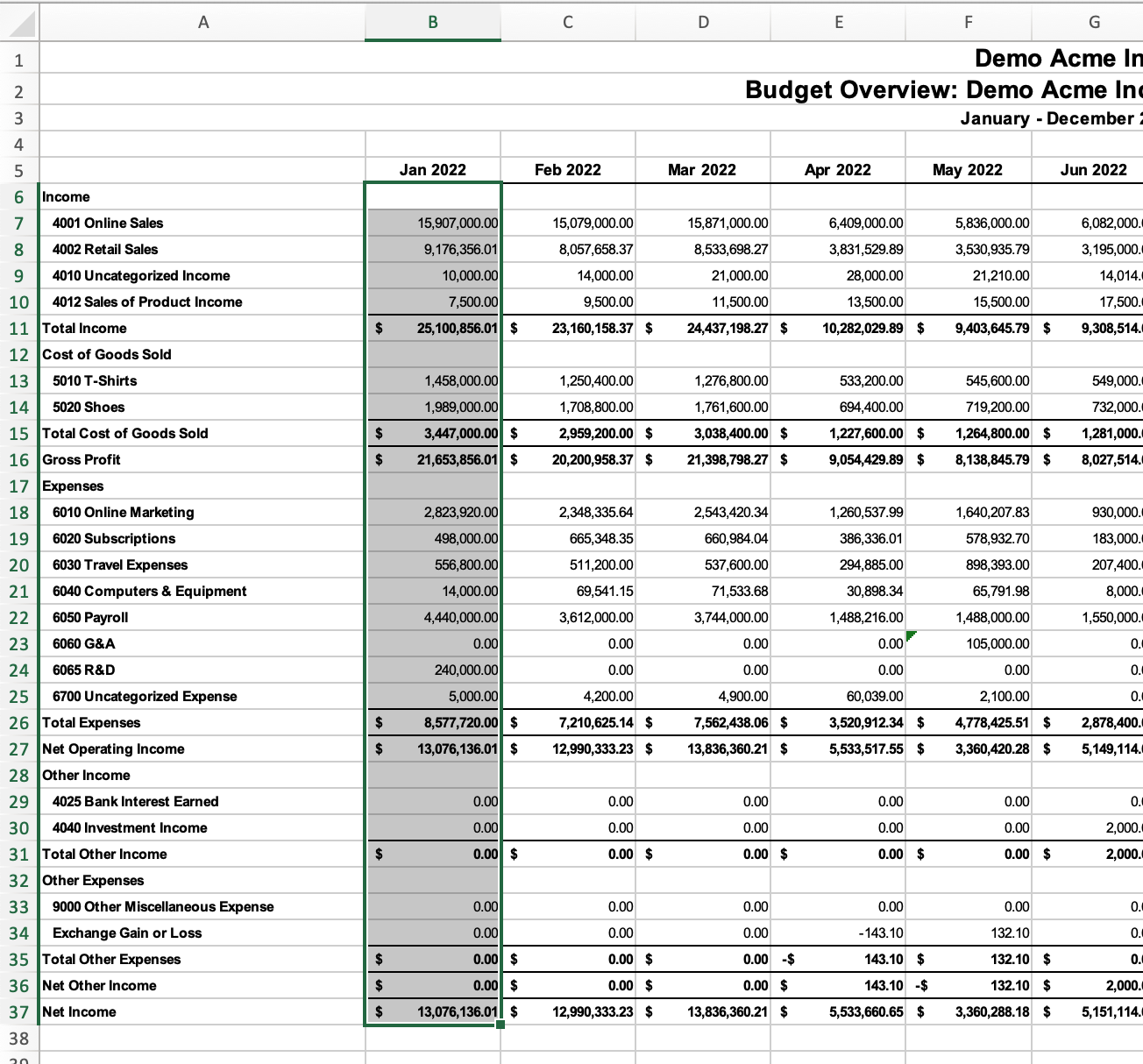
The Variance columns will automatically update based on what is input into the budget columns!