How do I map accounts in Consolidation?
Last updated: February 9, 2026
To begin mapping accounts:
Create and name your first sub-account by clicking the plus sign on the top-level account. In this case, we're using Income.
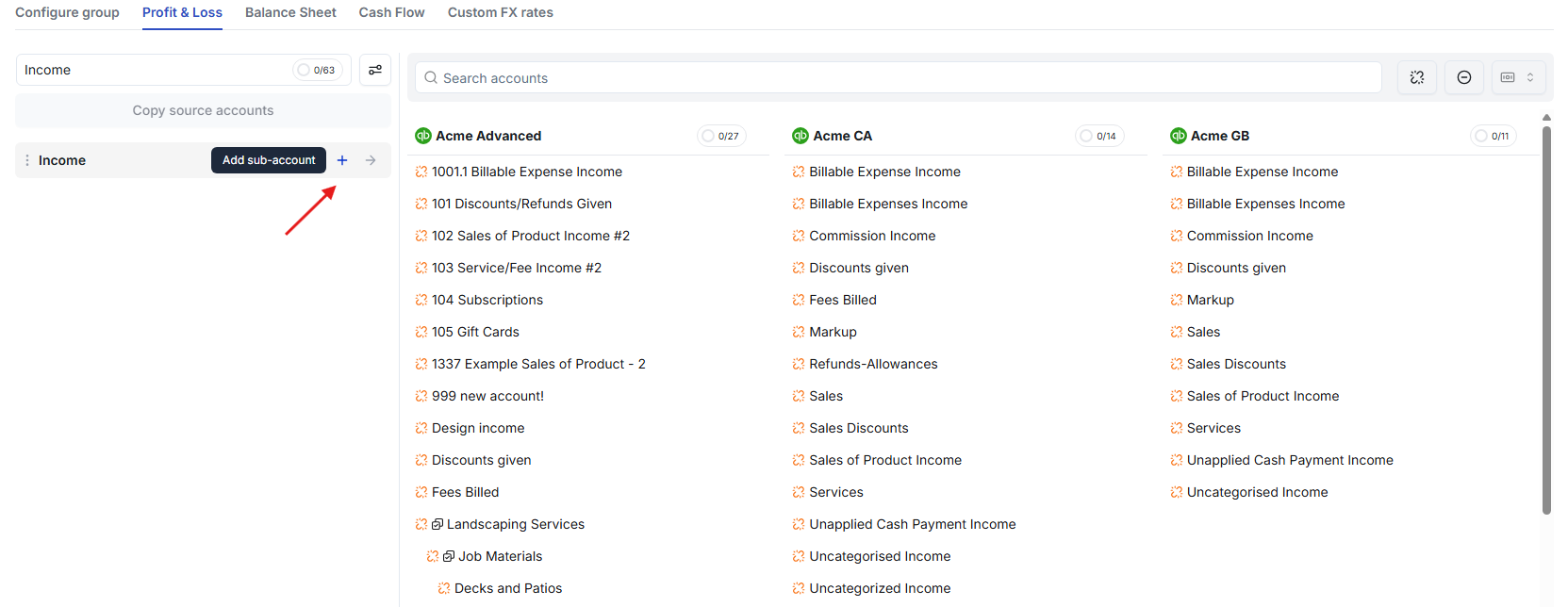
Create as many sub-accounts as you would like.
Select which accounts you would like to consolidate into your sub-accounts by clicking into their box. Then click on the sub-account to map them.
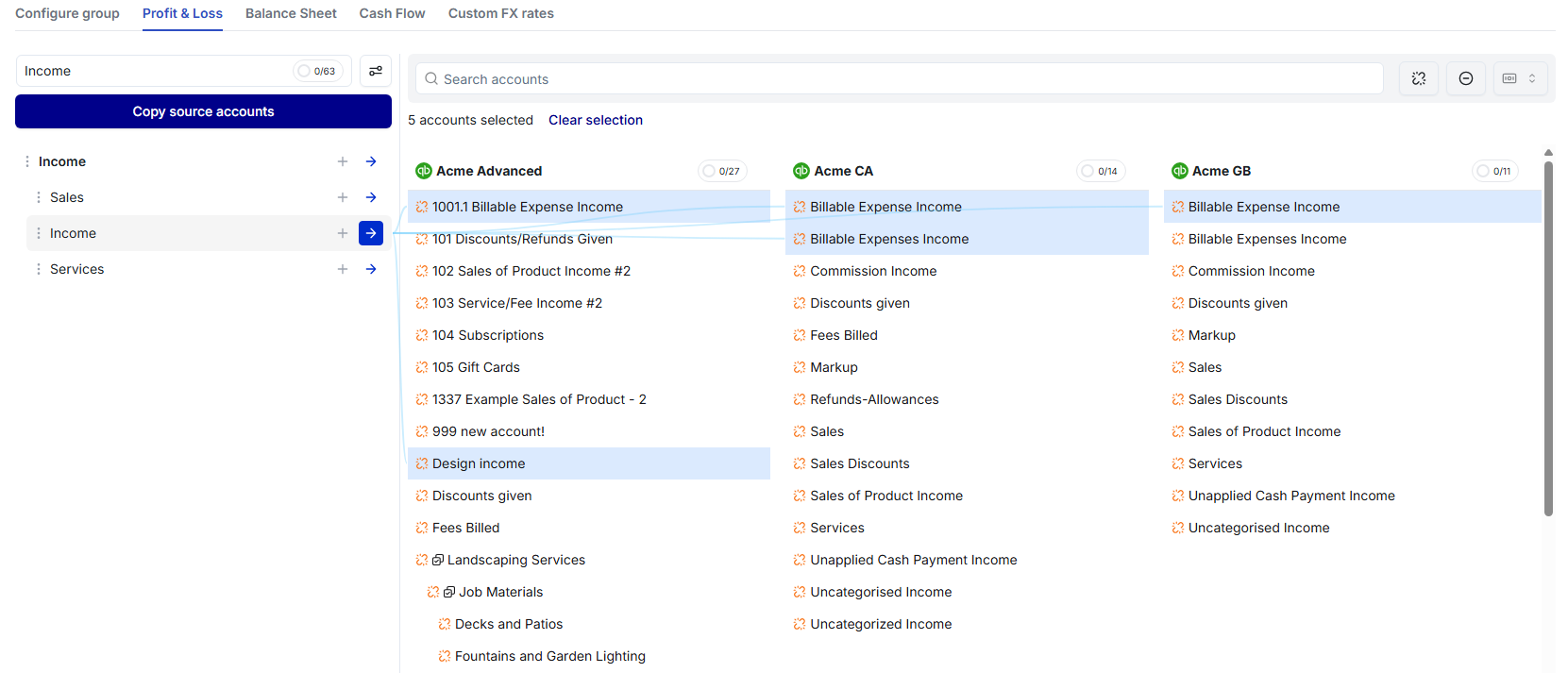
Once an account has been mapped to a sub-account, it will turn black. Unmapped accounts remain in orange.
When all accounts have been successfully mapped, you will see "All Mapped" in green.
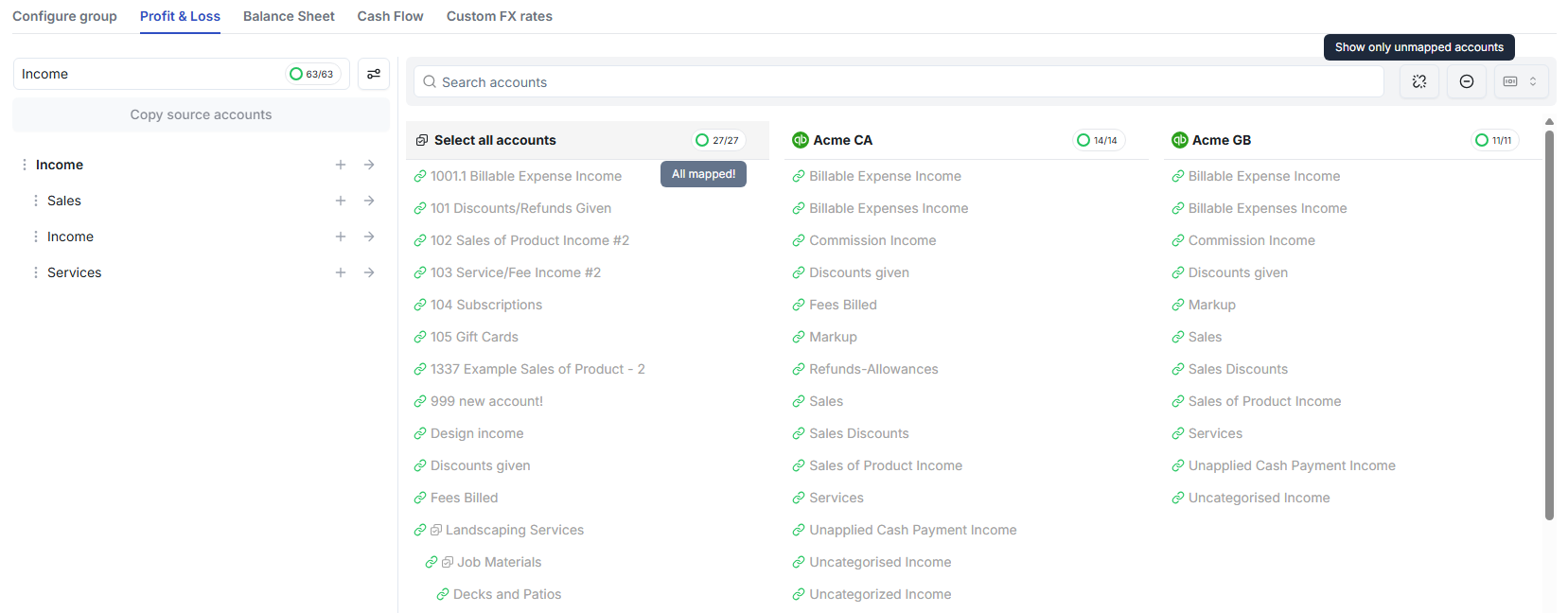
Once you've mapped everything in Income, Cost of Goods Sold, Expenses, Other Income, and Other Expenses - you're all done!