Steps to take if you are leaving your company
Last updated: February 9, 2026
Here's a checklist of items to complete if you're leaving your current company and want to pass along LiveFlow to another colleague in your org
Step 1: add your colleague to LiveFlow
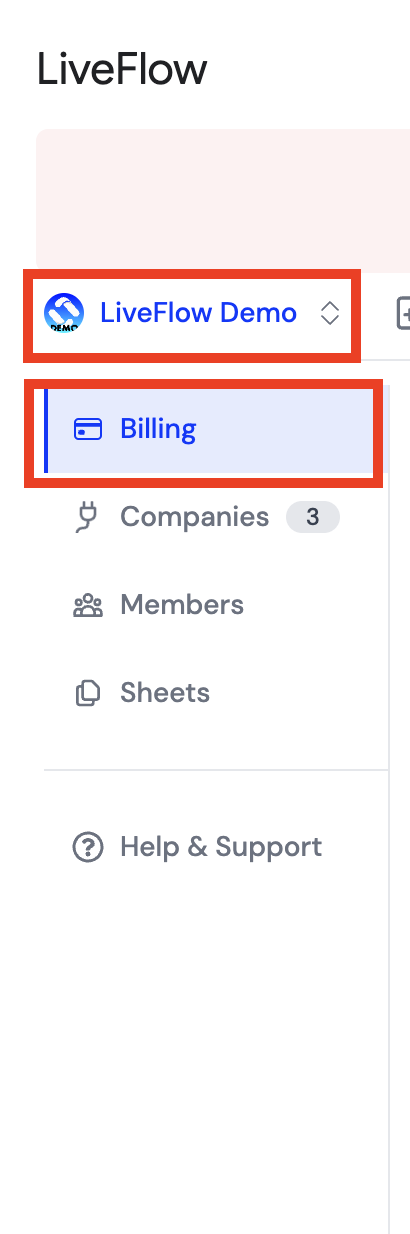
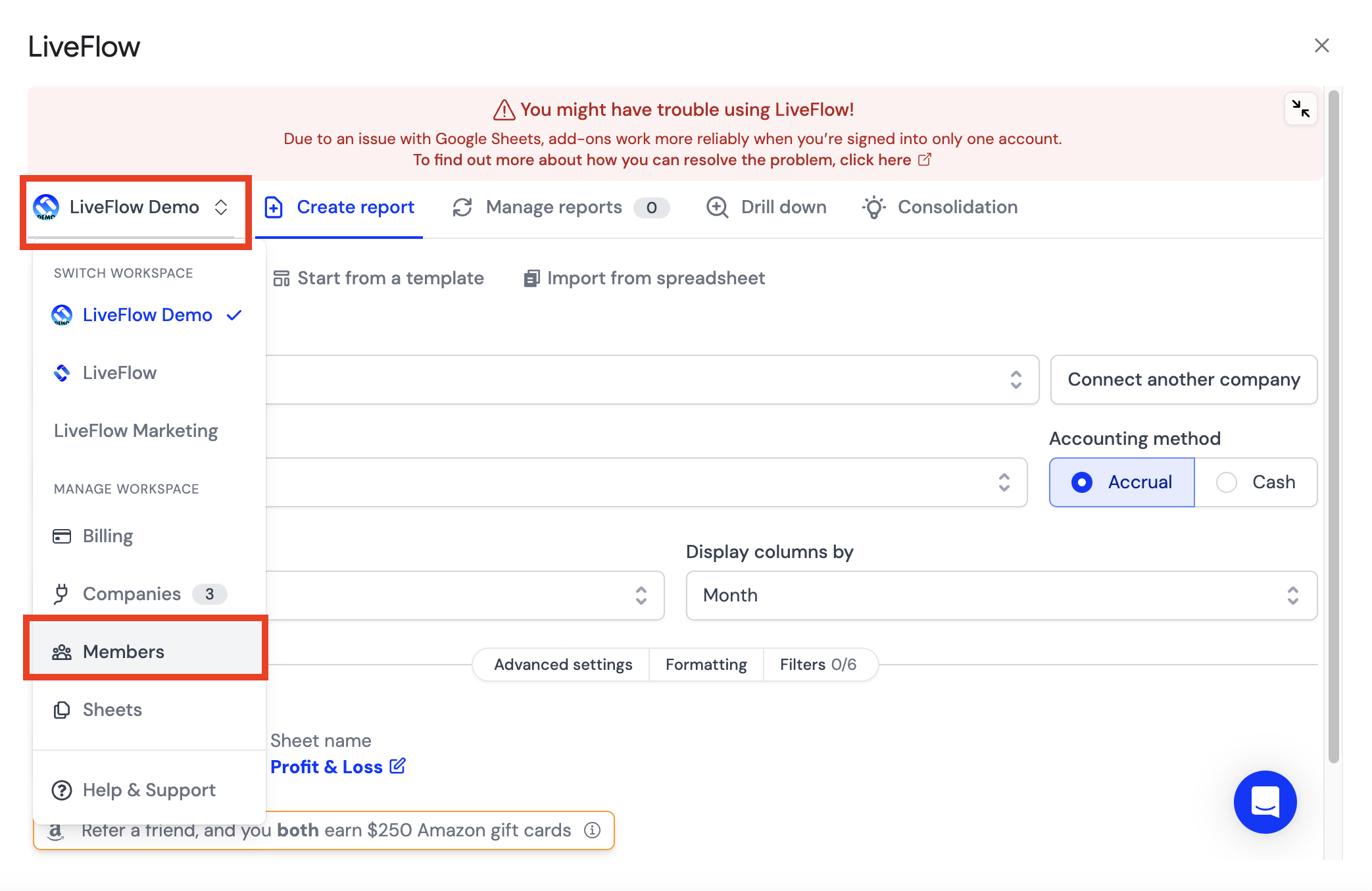
Click on the Workspace icon in the top left of the LiveFlow Extension and Select Members in the dropdown
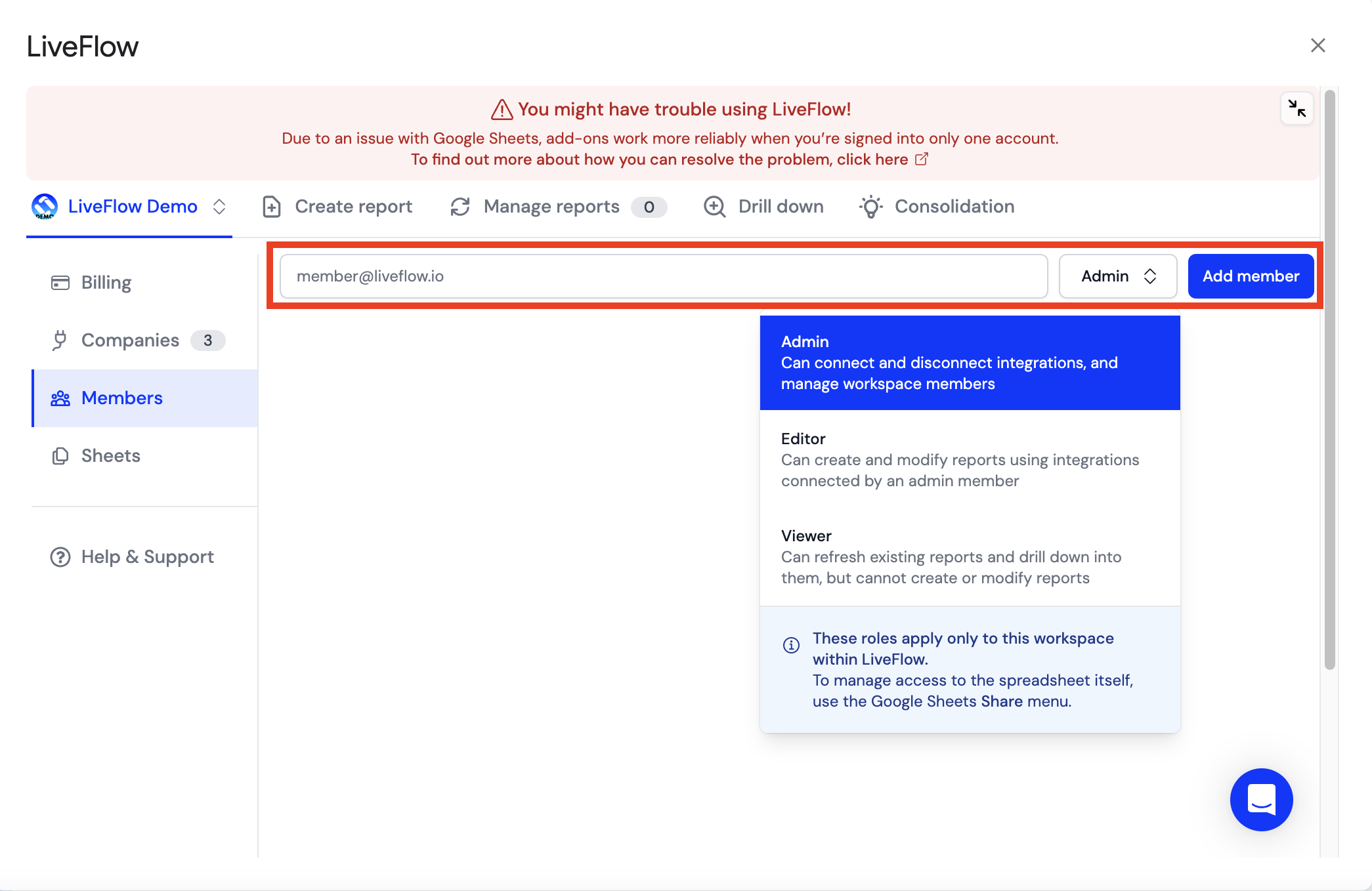
Type in the email address of your colleague
Select their permission level (breakdown of LiveFlow permission levels here)
Click Add member
Step 2: Change the billing details
After you've added your colleague to your LiveFlow Workspace, reach out to the LiveFlow team (help@liveflow.io) and let them know who you'd like to change the billing admin for the account to
Is your credit card on file? Once you've changed the billing admin, send the following instructions to your colleague (new billing admin) to update the credit card on file:
Click here to access the billing portal
Insert the email address on file for the billing admin of the LiveFlow account
If the email entered matches your account, you will receive a confirmation code
Enter the confirmation code, and you'll be able to access everything in billing
You can also do this through the LiveFlow app
Click on the Workspace icon from the LiveFlow Extension
Go to Billing
Click on Open billing portal
This will take you to your Stripe billing portal, where you can update your credit card details, the email for receipts, and more