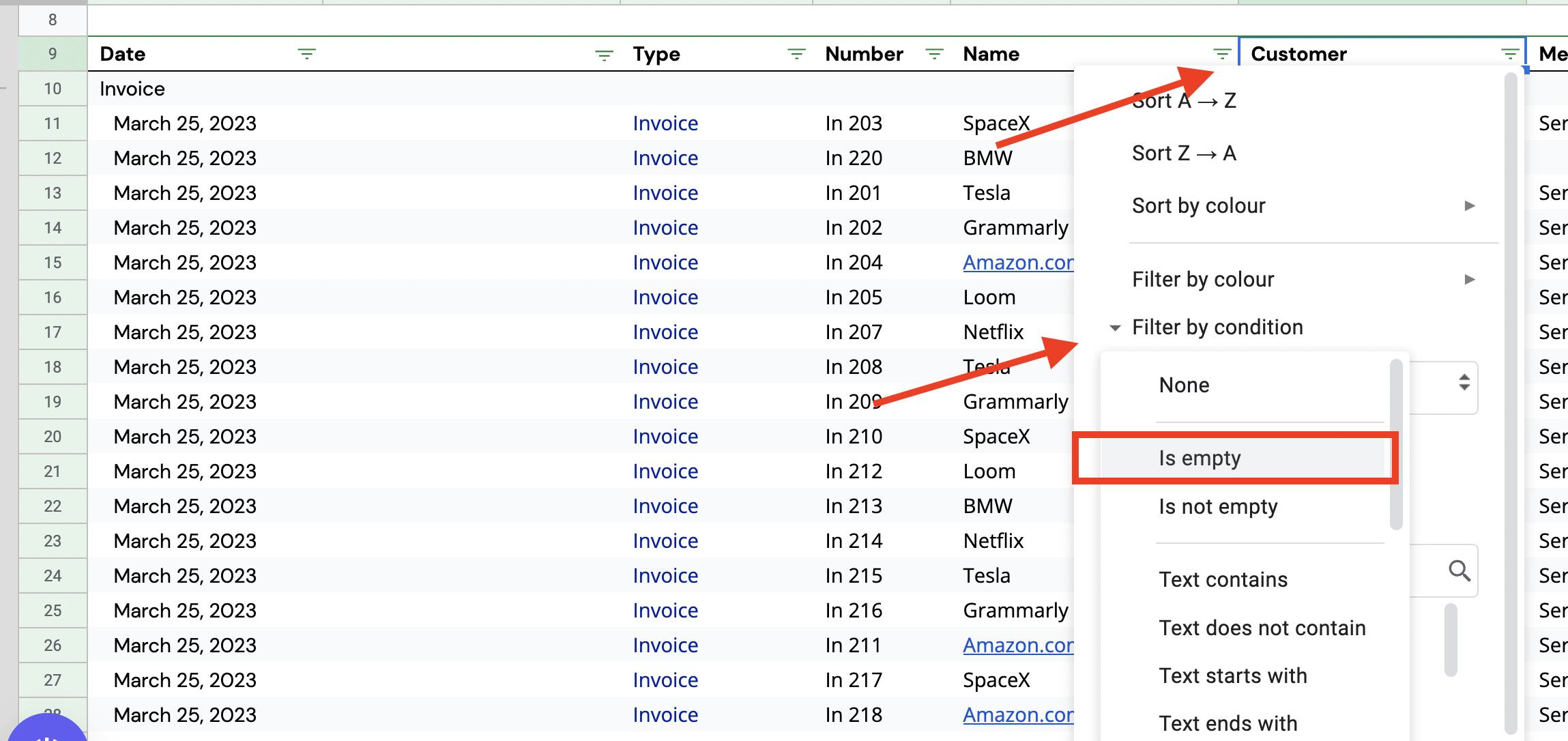
How to generate a list of transactions that do not correspond to a customer
Last updated: February 9, 2026
How to get a list of transactions that do not have a customer:
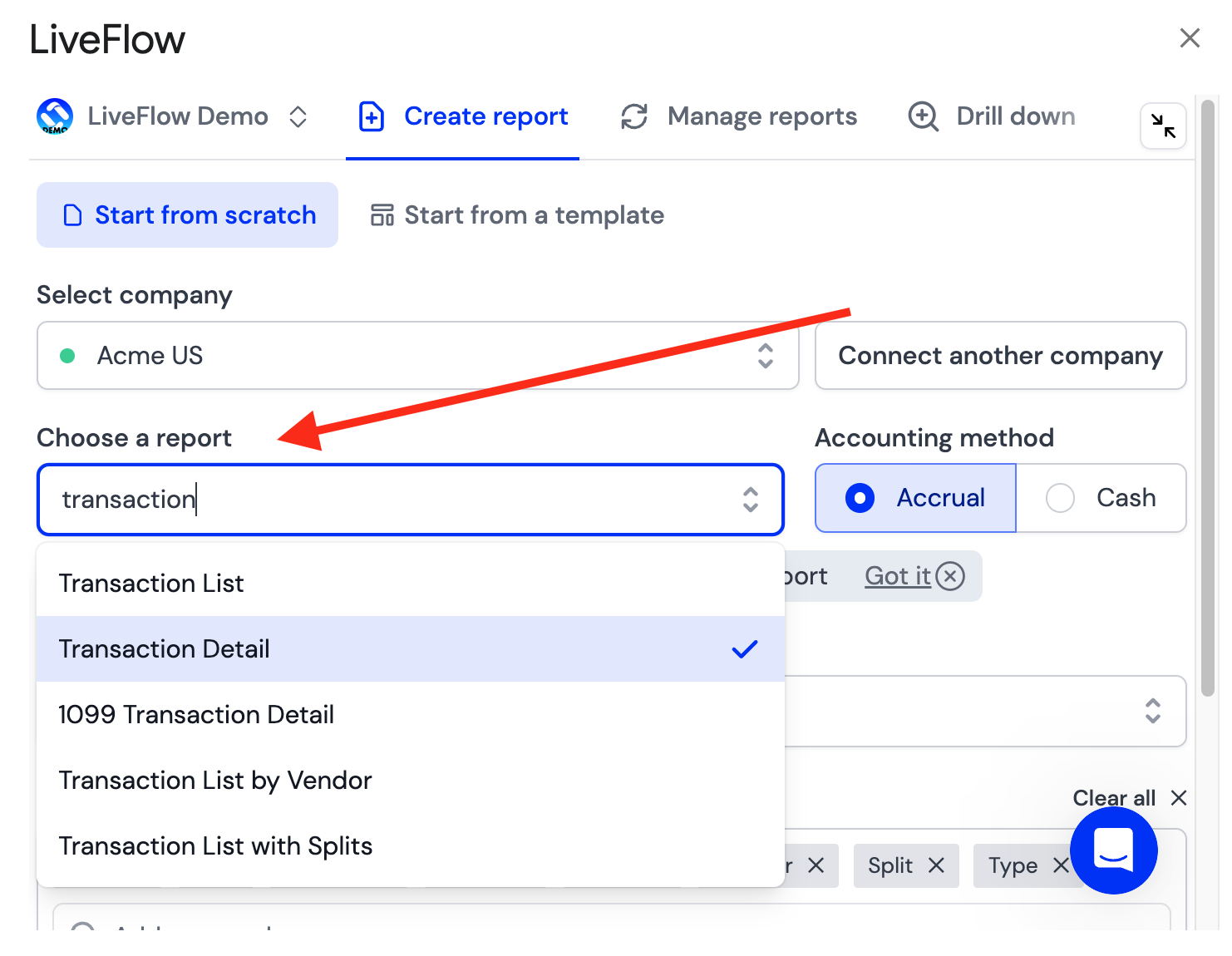
Using the LiveFlow extension, choose the Transaction Detail Report
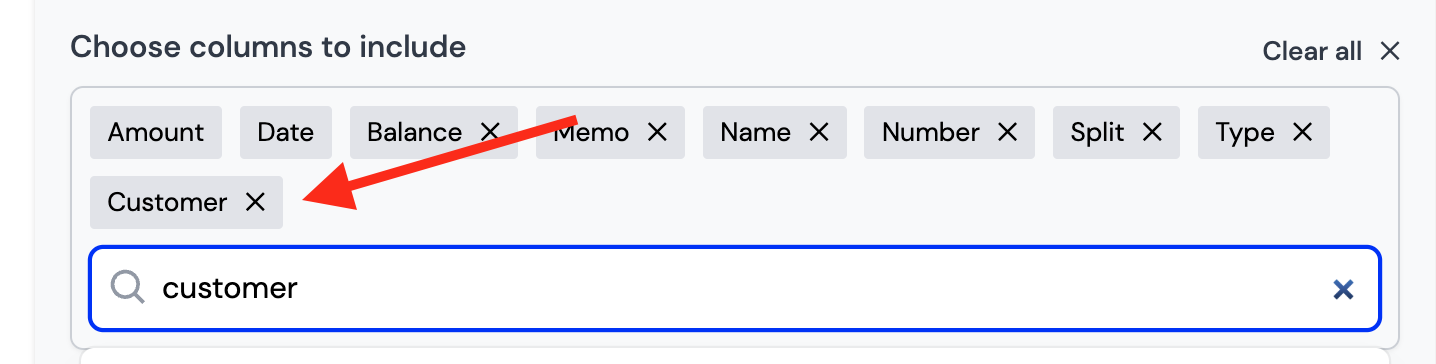
Add "Customer" to the columns of the report through the LiveFlow extension
Click Create Report
Apply a filter for the row with the Column Names
In the Customer column, use Filter by condition and choose is Empty