How to use Conditional Formatting in Google Sheets
Last updated: February 9, 2026
How to use conditional formatting:
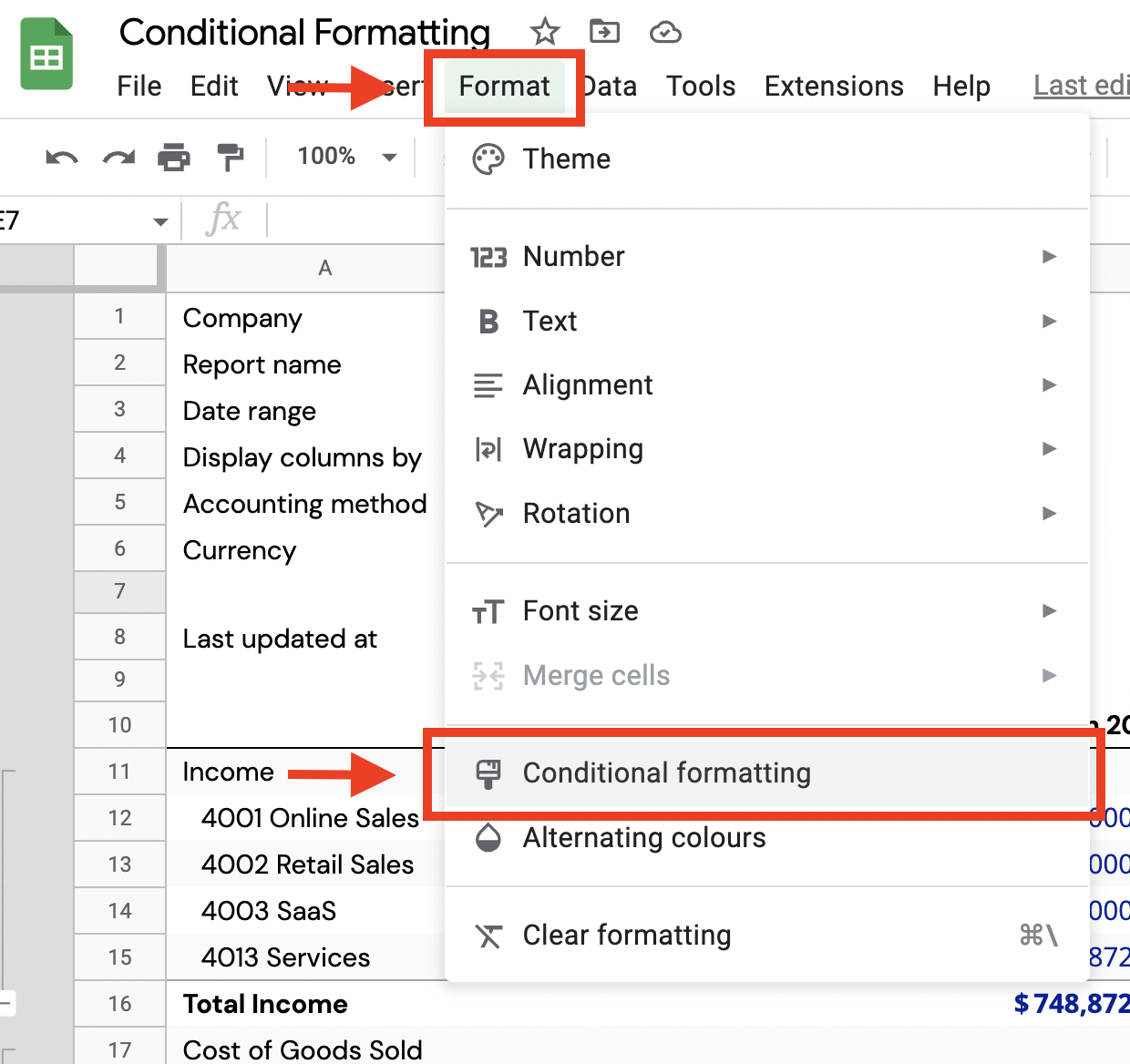
In Google Sheets, navigate to Format
From Format, click Conditional formatting
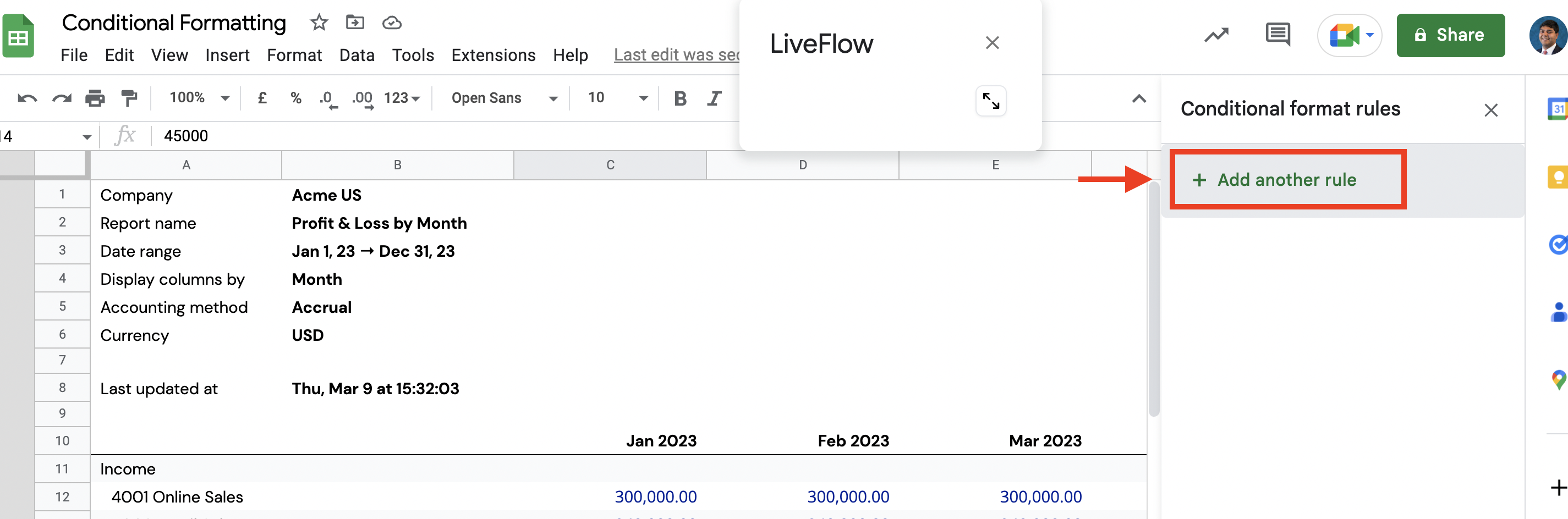
In the Conditional format rules side pane, click + Add another rule
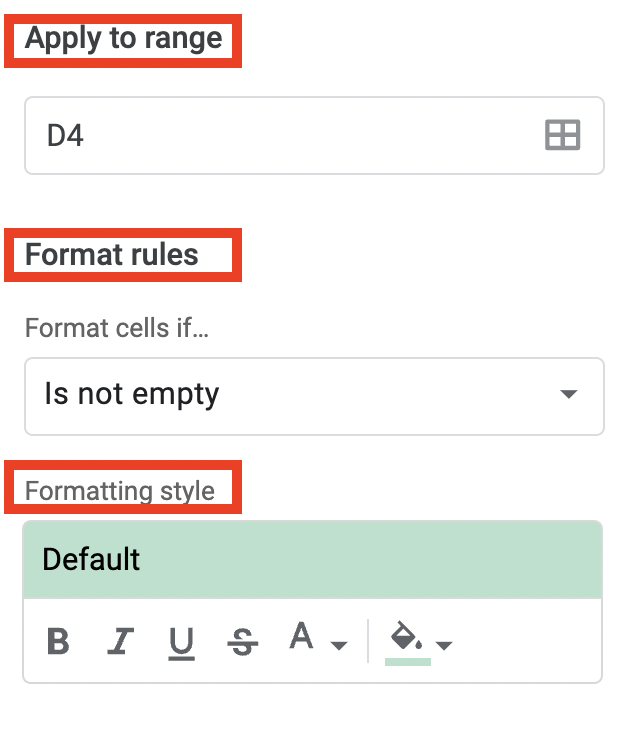
Apply a Range
Select you Format rules
Choose your Formatting style