LiveFlow not Loading
Last updated: February 9, 2026
If you are logged into more than one Google account, you might encounter problems with LiveFlow.
This is due to a known issue with Google Sheets add-ons, and you can read more about the issue here. If you’re interested in the technical details of the issue, you can see more about those here.
To ensure the best possible experience with LiveFlow, we suggest either:
[Recommended] Log into Google with only the account you will use for LiveFlow. You can use Google Chrome profiles to make this approach easier to manage – you can find out more about these here.
If you must be logged into more than one account, then you should sign in first with the account you will use for LiveFlow, and afterwards sign in to any additional accounts.
Step-by-step process to signing out and in your Google Accounts
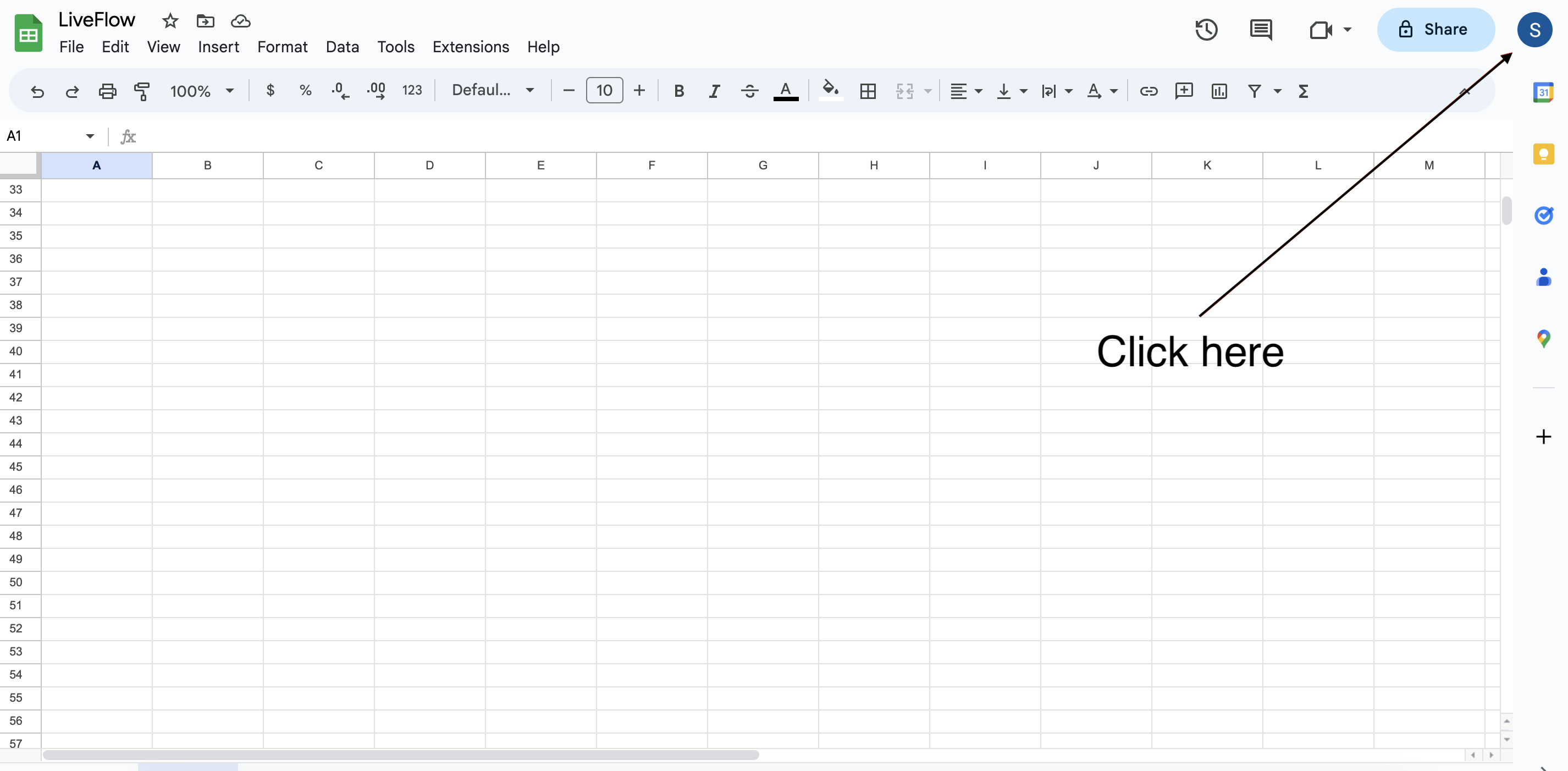
1) Click on your profile icon in the upper right corner of your Google Sheet
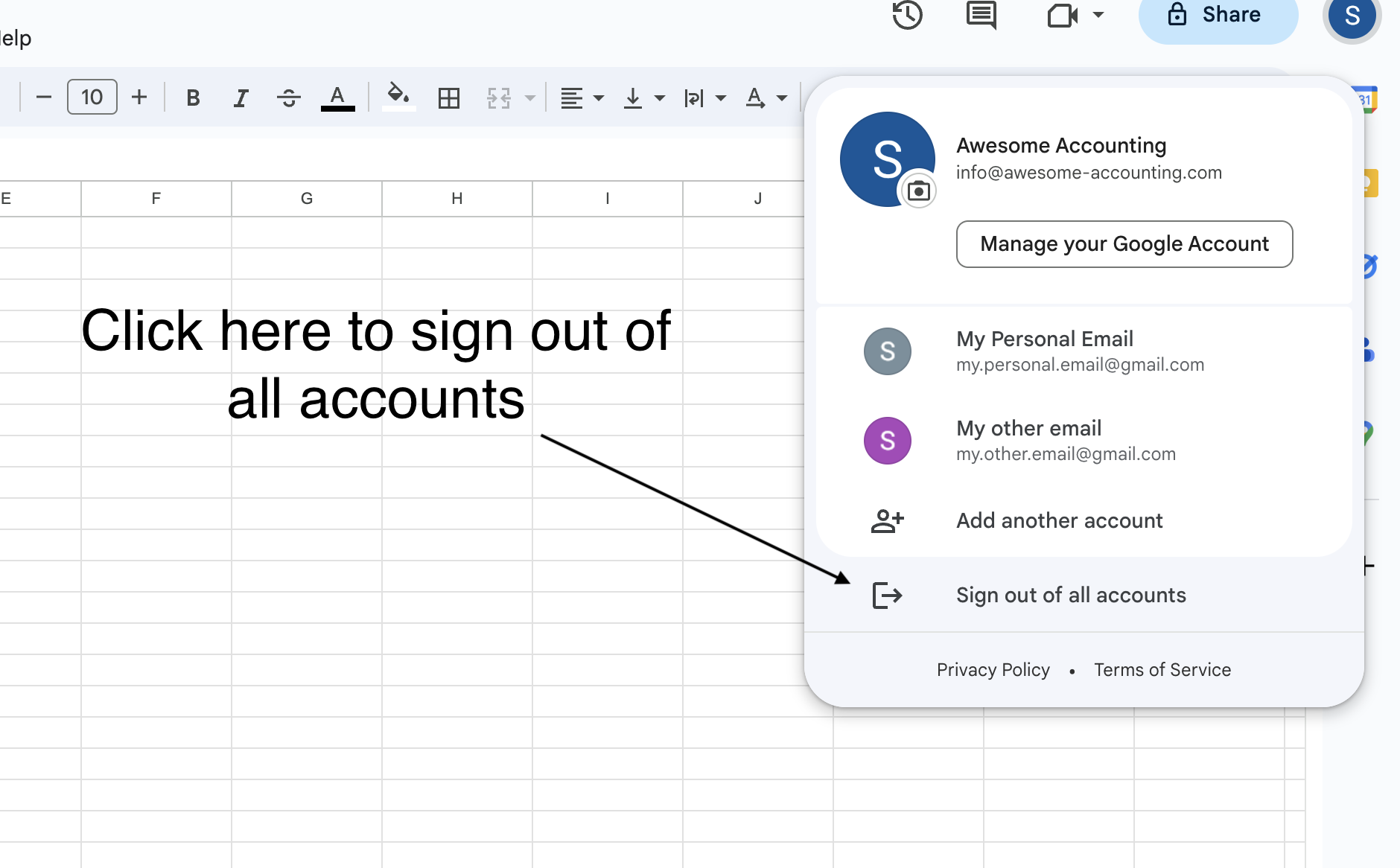
2) Sign out of all of your Google accounts
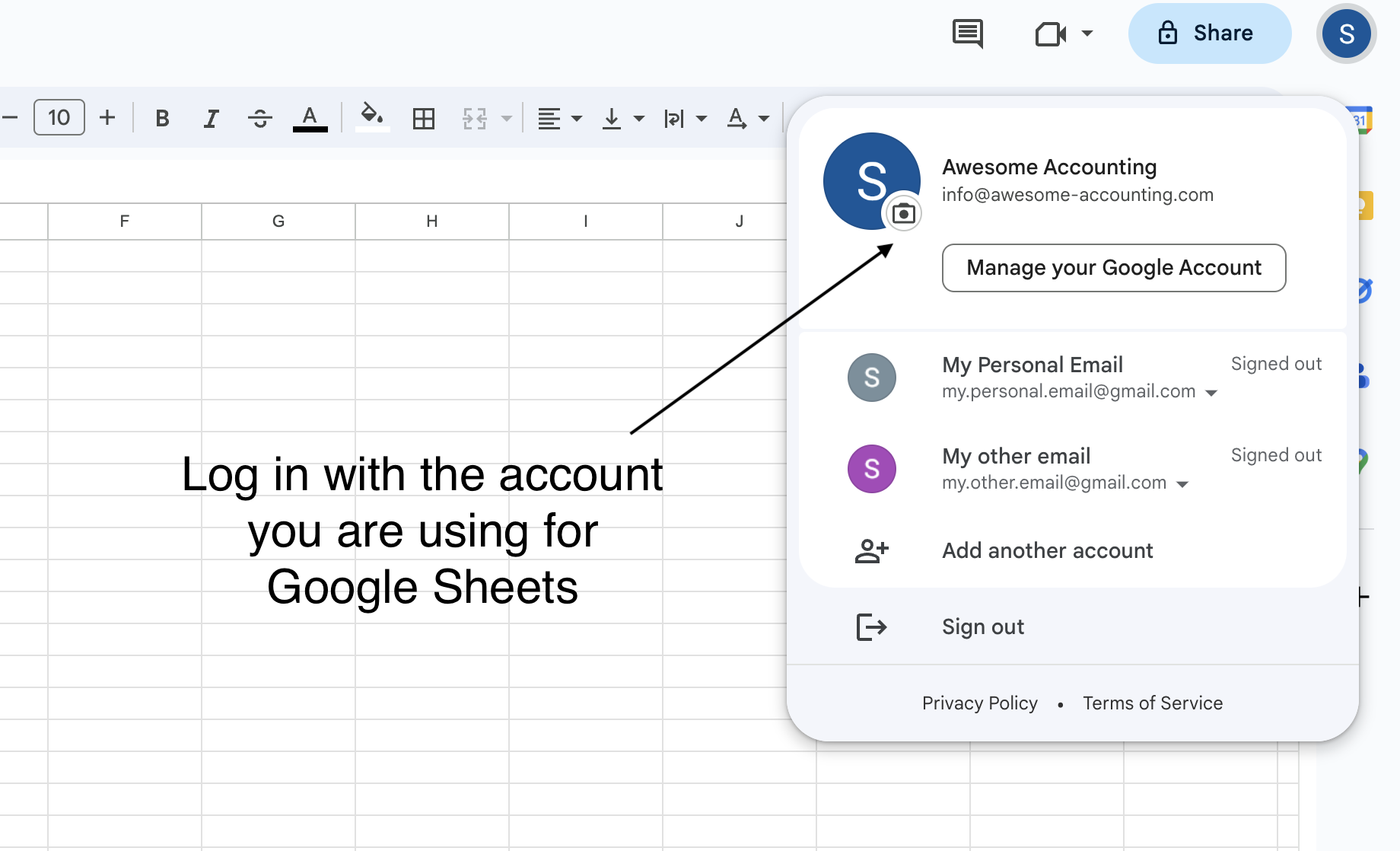
3) Sign back into the Google account you are using with LiveFlow
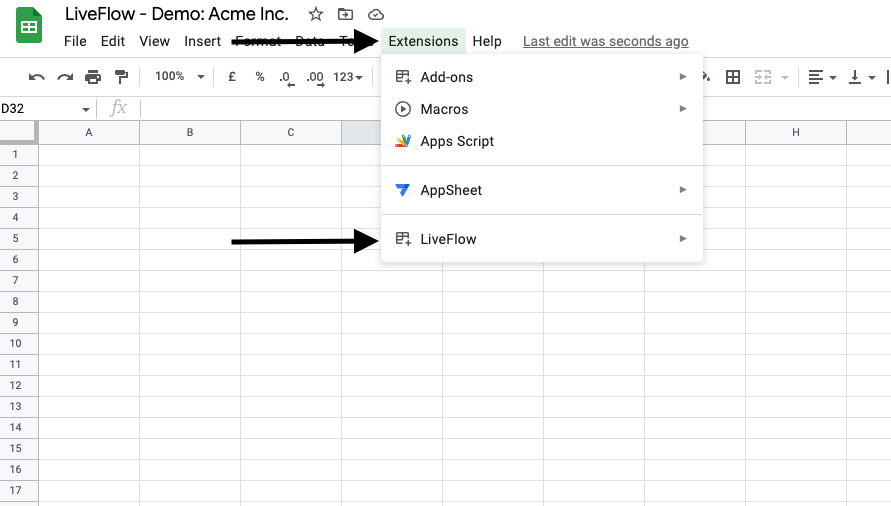
4) Go back to your Google Sheet → Click on Extensions → LiveFlow