How do I create a new workspace?
Last updated: February 9, 2026
To create a new workspace
Open the LiveFlow Web Platform
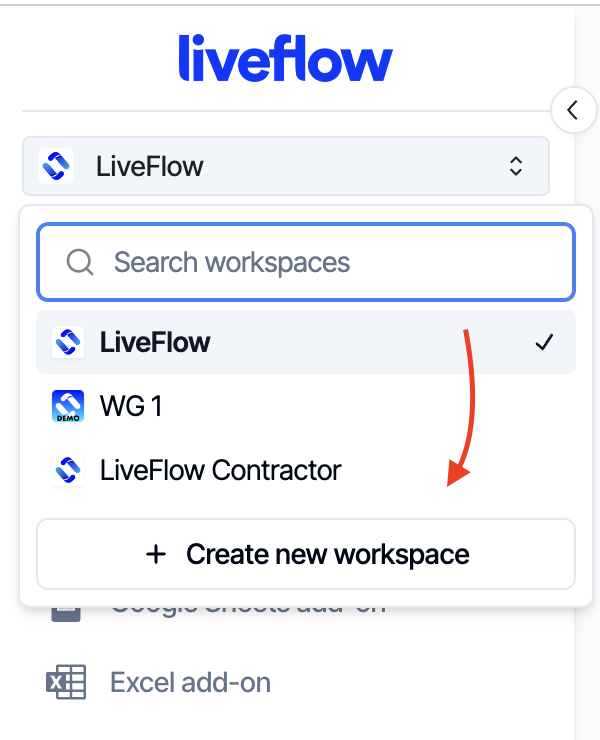
Click on the workspace dropdown
Select "Create new workspace"
Name your workspace and select "Create workspace"
You'll then be able to switch between your created workspaces with the workspace dropdown
If you would like to change the name of your workspace, go to the Settings Icon and you can change the name in the Workspace Tab.