What Google Sheets Permissions does LiveFlow need?
Last updated: February 9, 2026
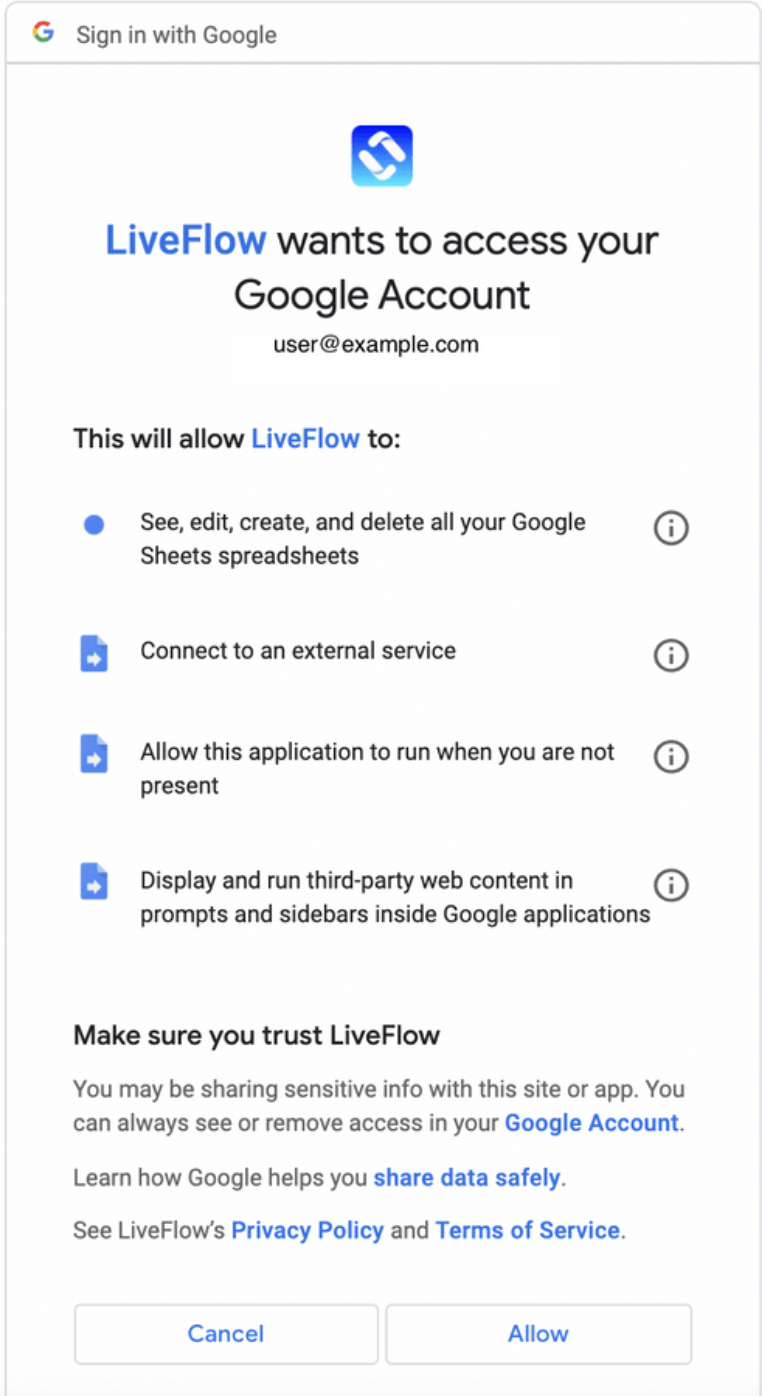
In order for LiveFlow to help automate your workflows in Google Sheets, LiveFlow needs you to authorize the application to perform various operations on your behalf. When you first install LiveFlow, you will be presented with a screen like the one shown below. You will be asked to authorize 4 permissions which are:
See, edit, create and delete all your Google Sheets spreadsheets
Connect to an external service
Allow this application to run when you are not present
Display and run third-party web content in prompts and sidebars inside Google applications