Accessing Billing Information in the LiveFlow Web App
Last updated: March 16, 2026
You can view and manage your LiveFlow billing details directly from the Settings page in the web application. This area allows you to review your current subscription, access invoices, update payment information, and upgrade your plan.
Note: Only the Billing Admin on the account can access the billing page and manage subscription settings.
How to Access Billing
Log in to the LiveFlow web app (app.liveflow.com)
In the left navigation menu, click Settings.
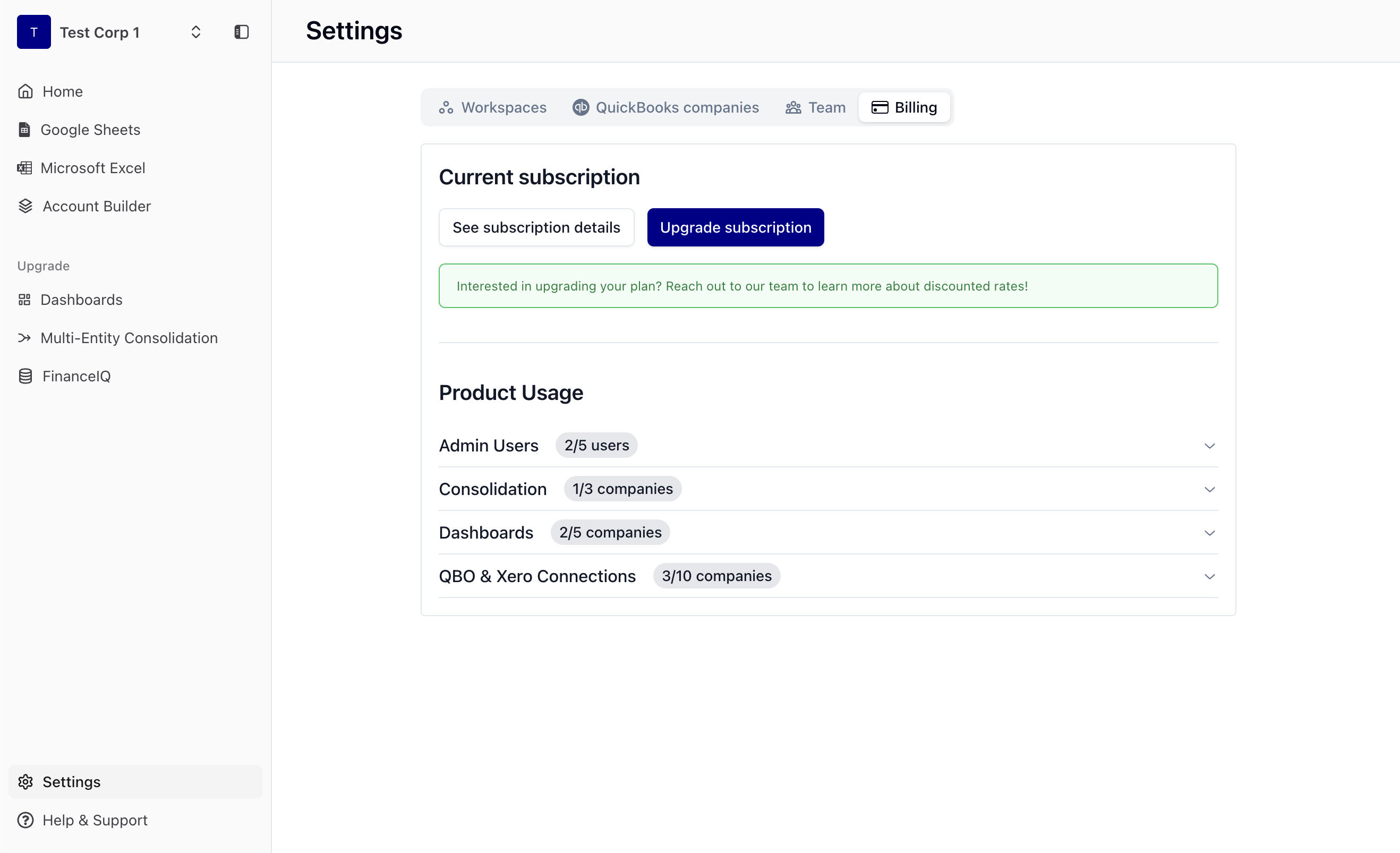
Select the Billing tab at the top of the page.
Here you will see your Current subscription and Product Usage, including the number of users and connected companies included in your plan.
Viewing Subscription Details, Invoices, and Payment Methods
To view detailed billing information:
Navigate to Settings → Billing.
Click See subscription details.
This will open the Salesbricks Billing Portal, where you can:
View your renewal date
Access and download invoices
Manage payment methods
Review your subscription details
Upgrading Your Subscription
If you need additional capacity (such as more users or company connections):
Go to Settings → Billing.
Click Upgrade subscription.
From here, you can adjust quantities for:
Admin/Editor Users
Consolidation Bundles
Dashboard Reports
QBO/Xero Company Connections
The summary panel will show your updated pricing before confirming the upgrade.
This option is available for Salesbricks customers.
If You Don’t See the Billing Page
If you don't see the billing page, and you are the Billing Admin for your account please contact customersuccess@liveflow.io for questions regarding your subscription.
If you have additional questions about:
Billing details
Adding FinanceIQ
Current promotions or pricing for additional entitlements
Please contact our team at customersuccess@liveflow.io for assistance.